On-Page SEO helps content rank higher by making each page useful to readers, easy for search engines to understand, and simple to navigate. The most effective process is to match search intent, use keywords naturally, improve titles and headings, publish helpful content, add internal links, optimize visuals, and apply accurate schema markup.
These changes give Google clearer information about the page while giving visitors a better experience. They do not guarantee a number-one ranking, but they remove common barriers that hold otherwise valuable content back.
This guide covers 10 practical on-page SEO tips for blog posts, service pages, product pages, category pages, and landing pages.
What is On-Page SEO?
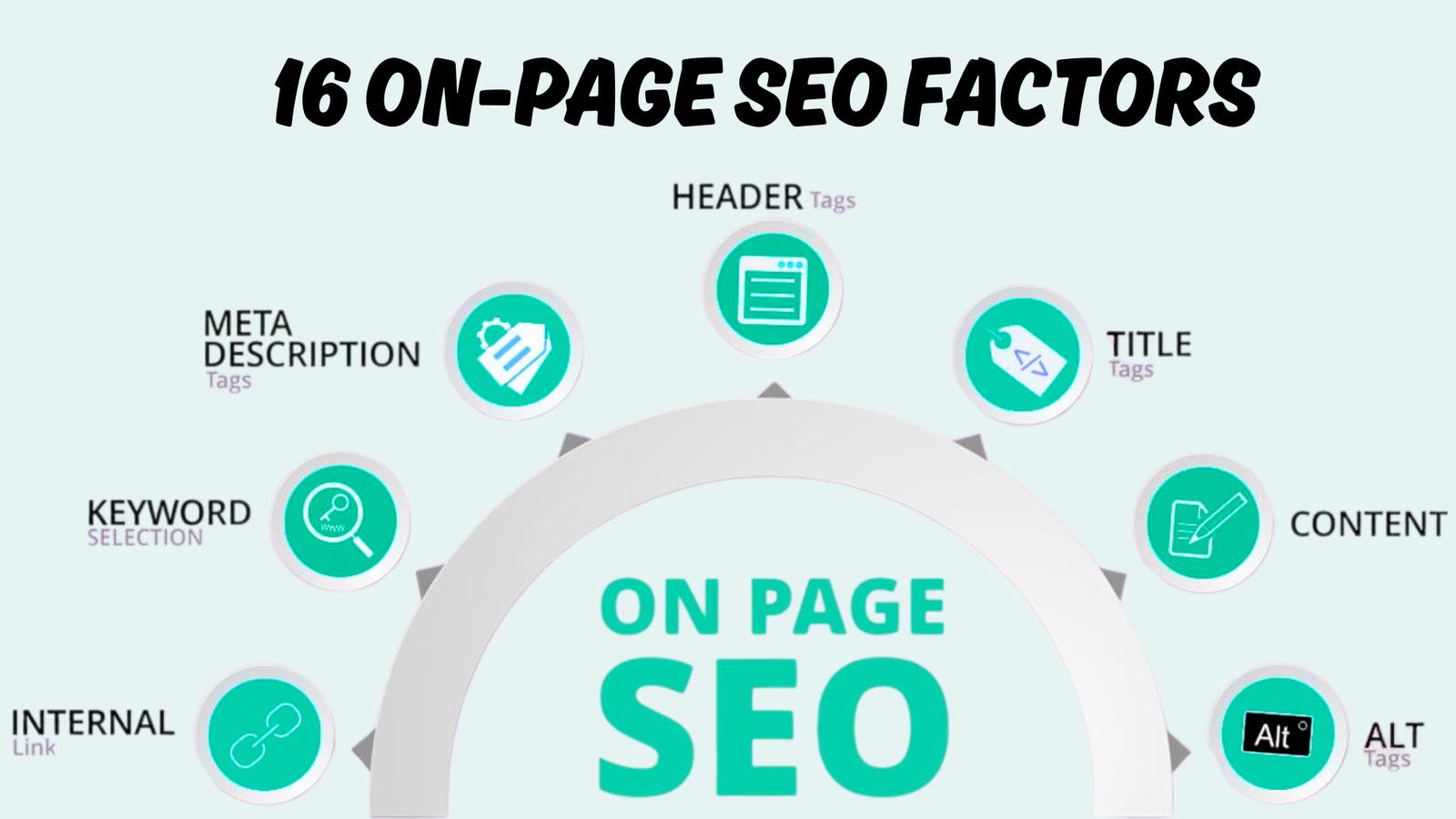
On-Page SEO is the process of improving the content, HTML elements, and user experience of an individual webpage. It includes the title tag, H1, headings, copy, URL, internal links, images, structured data, and other elements that a website owner can control.
The goal is not to repeat a keyword a certain number of times. Good on-page optimization makes the topic, purpose, and value of a page clear to both the reader and the search engine.
On-Page SEO differs from off-page SEO, which covers signals outside your website, such as backlinks and brand mentions. It also overlaps with technical SEO because a strong page still needs to be crawlable, indexable, mobile-friendly, secure, and fast.
Google recommends unique, high-quality, user-focused content alongside clear titles, URLs, descriptions, images, and crawlable links.
That guidance is why the best on-page SEO techniques start with the searcher rather than a plugin score.
On-Page SEO Checklist
The table below shows what to optimize, why it matters, and what to check before publishing. Use it as a quick review, then follow the detailed steps in the rest of this guide.
| Area | Main action | Practical check | Common mistake |
|---|---|---|---|
| Keywords | Choose one primary topic and related terms | Intent matches the page type | Picking volume without checking intent |
| Title tag | Write a unique, clear search title | Main topic appears near the beginning | Stuffing several keyword variations |
| H1 | Give the page one clear main heading | H1 describes the page accurately | Using a logo or slogan as the H1 |
| Meta description | Explain the value of the page | Description encourages the right click | Copying one description across many pages |
| URL | Create a short, readable slug | Lowercase words; use hyphens | Adding dates or unnecessary folders |
| Content | Give a complete, useful answer | Important questions are answered clearly | Adding words only to reach a target length |
| Headings | Organize sections in a logical order | H2s cover main ideas, and H3s support them | Choosing headings only for visual styling |
| Internal links | Connect useful related pages | Anchors describe the destination | Using vague text such as “click here” |
| Visuals | Support the text with useful media | Files are compressed, and alt text is accurate | Adding large stock images with no purpose |
| Schema | Describe visible page content accurately | Markup passes validation | Adding unsupported or misleading properties |
1. Identify Target
Keyword research gives each page a clear focus. Before writing, choose a primary keyword that represents the main problem, question, product, or service the page will address.
Evaluate each keyword using three factors: search volume, ranking difficulty, and intent. Volume shows estimated demand, difficulty helps set realistic expectations, and intent reveals the result a searcher wants.
A broad phrase can attract attention without supporting the business goal. For example, “blue flowers” may have demand, but someone using it could want images, plant names, growing advice, or a nearby florist.
A local florist may get more value from a precise phrase such as “blue wedding bouquets in Chicago.” The phrase is narrower, but the location and use case make the desired page and next action much clearer.
Confirm Search Intent
Search intent usually falls into four groups: informational, navigational, commercial, and transactional. A query asking “how to choose running shoes” needs an educational guide, while “buy women’s trail shoes” calls for a product or category page.
Review the current search results before deciding on a format. If Google mostly shows tutorials, a short sales page may struggle because it does not solve the same task.
Look beyond the page type and study the angle. Searchers may prefer beginner advice, a checklist, product comparisons, local options, current prices, or step-by-step instructions.
Build a Focused Keyword Map
Assign one main topic to one primary URL to reduce overlap between similar pages. If two pages target the same intent, decide whether to combine them, differentiate them, or redirect the weaker version.
Add a small set of secondary keywords that support the main topic. For this article, natural variations include “on page seo tips,” “on-page SEO techniques,” “on-page optimization,” and “on page seo best practices.”
Do not force every variation into every section. Use the wording that fits the sentence, then cover related questions and concepts that a reader needs to complete the task.
Place Keywords Naturally
Use the primary keyword in prominent locations when it reads naturally, including the title tag, H1, opening paragraph, URL, and one or more relevant subheadings. Add close variations, entities, and supporting terms throughout the body without turning the copy into a repeated phrase list.
Read the draft aloud after optimization. If the keyword sounds awkward or appears too often, replace some uses with plain language, pronouns, or relevant variations.
Keyword stuffing makes a page harder to read and can weaken trust. Google specifically advises against repeated keyword-heavy title text and recommends concise titles that accurately describe each page.
2. Optimize the Title Tag
The title tag is the HTML title of a webpage and often supplies the clickable title shown in search results. Google can also use the visible page title and headings when it creates a title link, so all major page signals should communicate the same topic.
Write a unique title for every indexable page. Put the primary keyword near the beginning when possible, then add a clear benefit, use case, location, or differentiator.
A useful working target is about 50 to 60 characters, but clarity matters more than reaching an exact count. Search displays vary by device and query, and Google may generate a different title when another version appears more useful.
3. Write a Clear H1
The H1 is the main visible headline on the page. It should immediately confirm that the visitor reached the right place and explain what the content will deliver.
Use one clear H1 as a practical standard, even though modern HTML can technically support more than one. A single main heading creates a simpler document outline for editors, developers, readers, and assistive technology.
Place the primary keyword near the beginning when it fits. Keep the wording descriptive and compelling, but make sure the page fulfills the promise.
The title tag and H1 do not have to match word for word. The title tag must work in search results, while the H1 can be slightly longer or more conversational on the page.
4. Write a Useful Meta Description
A meta description is a summary that may appear below the title link in search results. It is your chance to explain the page’s benefit and help the right searcher decide whether to visit.
Include the primary keyword naturally, mention a specific value, and use an active call to action when it fits. Every important page should have a distinct description that reflects its actual content.
Google may use the meta description when it describes the page better than text found elsewhere, but it can choose another passage for a particular query. Google does not set a fixed character limit and may truncate snippets to fit the device width.
That means a 155-character target is a writing guideline, not a ranking rule. Put the most useful information first instead of saving the key benefit for the end.
5. Create an SEO-Friendly URL
A clean URL helps users understand where a link leads before they open it. It also gives search engines another simple clue about the page topic.
Use a short, descriptive slug with lowercase words separated by hyphens. Include the primary keyword when it fits, and remove dates, tracking parameters, special characters, and filler words that add no meaning.
Choose the URL carefully before publishing because changing it later can break links and waste existing signals. If a change is necessary, add a server-side 301 redirect from the old URL, update internal links, and submit the new version through your normal sitemap and indexing workflow.
6. Review Content Quality
Content quality is the center of on-page optimization. Titles, keywords, and schema cannot rescue a page that gives an incomplete, outdated, or unhelpful answer.
Start by answering the main question near the top. A direct answer helps busy visitors, supports featured-snippet formatting, and gives AI-powered search systems a clear passage to interpret.
Then add the detail needed to complete the task. Explain decisions, show examples, warn about mistakes, and provide a process the reader can follow without opening several other pages.
Match the Page to the Intent
A useful page delivers the type of experience promised by the query. A product comparison needs clear criteria and trade-offs, while a local service page needs the service area, process, proof, and an obvious way to contact the business.
Do not turn every informational article into a long sales pitch. Earn trust by solving the immediate problem, then offer the next relevant step.
Demonstrate Real Experience
Add details that could come only from doing the work. Useful additions include screenshots from a real audit, before-and-after examples, decision rules, templates, original photos, common client mistakes, and lessons from failed tests.
Identify the author and explain why that person is qualified to cover the topic. Link the byline to a detailed author page with relevant experience, credentials, editorial standards, and a clear method for corrections.
People-first content should serve an existing audience, demonstrate first-hand knowledge, and leave visitors feeling they learned enough to achieve their goal. Google also recommends reviewing originality, completeness, expertise, clear sourcing, and factual accuracy when judging content quality.
Improve Trust and Accuracy
Check names, dates, prices, product specifications, laws, statistics, and tool features before publishing. Link factual claims to reliable primary evidence when readers may need to verify them.
Add a visible published date and update date when changes are meaningful. Do not change the date just to make an old article look fresh.
For high-impact topics such as health, finance, safety, or legal matters, use qualified reviewers and clear disclaimers. Trust matters more when inaccurate advice could harm a reader.
Cover the Topic
There is no ideal word count that applies to every query. Write enough to satisfy the intent, then remove repetition, weak introductions, obvious filler, and sections that do not help the reader act.
A focused 900-word tutorial can beat a vague 3,000-word article. A complex buying guide may need more depth, original testing, filters, and comparison data.
Study the top-ranking pages to understand the expected format and baseline coverage, but do not copy their structure sentence by sentence. Find unanswered questions, stale advice, weak examples, missing definitions, or audience segments the current results overlook.
Improve Readability
Use short paragraphs, descriptive headings, numbered steps, bullet lists, and tables where they make information easier to scan. Define technical terms when they first appear and keep each section focused on one question.
Edit for meaning before editing for keywords. Every paragraph should add an answer, example, instruction, warning, proof point, or transition.
Check Page User Experience
A slow or unstable page can frustrate visitors before they read the content. Review mobile layouts, intrusive pop-ups, font sizes, contrast, forms, navigation, and buttons alongside traditional on-page SEO.
Core Web Vitals measure loading, responsiveness, and visual stability. The recommended “good” thresholds are LCP within 2.5 seconds, INP of 200 milliseconds or less, and CLS of 0.1 or less at the 75th percentile of visits.
These metrics are not an excuse to remove useful design. Compress heavy assets, reduce unnecessary scripts, reserve space for images and ads, and test changes on real mobile devices.
7. Structure Subheadings With Header Tags
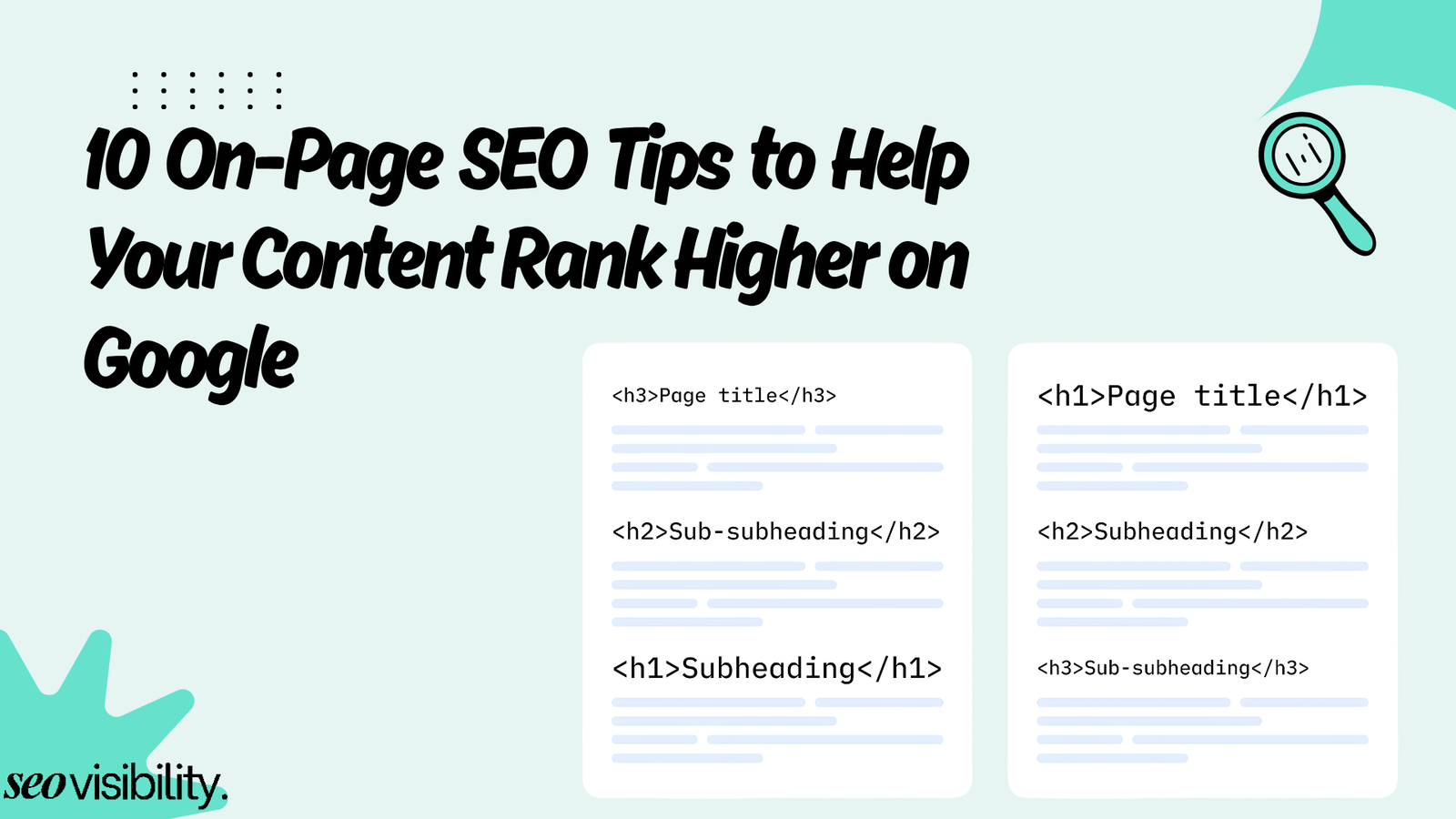
Header tags create a logical outline that helps readers scan and understand the page. Use the H1 for the main title, H2 tags for major sections, and H3 tags for supporting points within those sections.
Do not jump from an H2 to an H4 because a smaller font looks better. Use CSS for appearance and select heading levels based on the relationship between ideas.
Write headings that explain what comes next. “How to Choose a Primary Keyword” is more useful than “Keywords” because it gives readers a clear reason to continue.
Include a target keyword in a subheading when it accurately describes that section. Do not rewrite every heading to repeat the same phrase.
8. Improve Navigation With Internal Links
Internal links connect one page on your website to another page on the same domain. They help visitors find useful next steps and help search engines discover pages and understand relationships between them.
Every important page should receive a crawlable link from at least one other page on the site. Google recommends standard anchor elements with an href attribute and says descriptive anchor text helps people and Google understand the destination.
Use anchor text that describes what the reader will find. “Learn how to perform an SEO audit” provides more context than “click here.”
Link only when the destination adds value at that point in the article. A definition can link to a detailed guide, a service mention can link to a service page, and a product use case can link to a relevant category.
9. Add Engaging Visual Content
Visuals should explain, demonstrate, compare, or prove something that text cannot show as quickly. Useful options include annotated screenshots, diagrams, process graphics, charts, product images, short demonstrations, and original videos.
Place each visual near the section it supports. Add a short caption when the reader needs context or when the image contains data that could be misunderstood.
Optimize Images
Resize images to the dimensions needed by the layout and compress them before uploading. Modern formats such as WebP or AVIF can reduce file size, but test quality and browser support for the website’s audience.
Use a descriptive filename such as on-page-seo-title-tag-example. webp instead of IMG_4837.webp. Keep filenames concise and do not add a long chain of keyword variations.
Write alt text that describes the image and its relationship to the surrounding content. Alt text supports accessibility and helps search engines understand what an image shows.
Decorative images that add no information can use an empty alt attribute so screen readers can skip them. Do not force the primary keyword into every image description.
Specify image width and height to reduce layout shifts. Lazy-load images below the initial screen, but avoid delaying the main image if it is the largest visible content element.
Optimize Videos
Use video when motion, sequence, or a live demonstration improves the explanation. A short screen recording can teach a Search Console task more clearly than several static screenshots.
Give the video a descriptive title, add captions, and provide a transcript or detailed summary. Make sure the embed works on mobile and does not block the main text while it loads.
A YouTube embed can reduce the hosting load and support discovery on another platform. The video should still match the purpose of the page instead of appearing only to increase time on site.
10. Implement Relevant Schema Markup
Schema markup is structured data that describes the meaning of page content in a machine-readable format. It can help Google understand a page and make eligible content available for supported rich-result formats.
JSON-LD is the recommended format, although Microdata and RDFa are also supported. The markup must accurately represent visible, current content and include the required properties for the selected type.
A blog post may use Article or a more specific supported subtype, along with BreadcrumbList and accurate organization or person details where appropriate. Product pages, local business pages, recipes, videos, events, and other eligible content should use only the type that matches the page.
Article markup can help Google understand details such as the title, images, and dates associated with a blog article. Add properties such as the headline, author, date published, date modified, image, and publisher only when the values are accurate.
Do not add review ratings that users cannot see or mark up unrelated content. Structured data must be a true representation of the page, and valid markup does not guarantee that Google will display a rich result
FAQ schema is not a general shortcut for every blog. FAQ rich results are currently limited to well-known, authoritative government and health websites, although visible FAQ sections can still help readers.
Test markup with the Rich Results Test before release. After publishing, inspect the URL and monitor the relevant enhancement reports for errors or unexpected.
Top On-Page SEO Tools
| Tool | Best use | Helpful capability | Keep in mind |
|---|---|---|---|
| Semrush | Keyword, page, and competitor analysis | Produces prioritized on-page ideas and reviews titles, descriptions, headings, content, and performance factors. | Recommendations still need a manual relevance check |
| Ahrefs | Content research and site auditing | Crawls sites and flags more than 170 technical and on-page issues. | Do not optimize only for a tool’s score |
| Google Search Console | Google performance and indexing data | Shows queries, clicks, impressions, CTR, position, indexing, canonicals, and URL-level issues. | Data covers Google Search, not every traffic source |
| Screaming Frog | Detailed website crawling | Finds broken links, metadata issues, directives, canonicals, missing alt text, and duplicate content. | Large crawls require clear filters and prioritization |
| Moz Pro | Keyword tracking and site health | Tracks rankings and competitors and provides keyword research and site-crawl features. | Choose it based on workflow and reporting needs |
For a small website, start with Google Search Console plus a manual page review. Add a crawler or paid suite when the site size, publishing volume, competitor research, or client reporting makes automation worthwhile.
WordPress users can use an SEO plugin to edit titles, descriptions, canonicals, and schema settings. Shopify users should review theme templates and app output carefully because automated fields can create duplicate titles, thin collection copy, or schema conflicts.
A Practical On-Page Optimization Workflow
Use the following process for a new page or a content refresh. It keeps the work focused on search intent and business value instead of random plugin warnings.
- Choose the page goal. Define the audience, search intent, desired action, and primary keyword.
- Review the search results. Note the ranking page types, common questions, content formats, and gaps you can fill.
- Create the outline. Plan one H1, useful H2 and H3 sections, examples, visuals, and internal-link opportunities.
- Write the direct answer first. Give readers a clear response before adding context and detail.
- Edit for usefulness. Remove repetition, verify claims, add experience, and make each instruction actionable.
- Optimize page elements. Finalize the title, H1, meta description, slug, headings, keywords, links, images, and schema.
- Complete technical checks. Confirm the canonical, indexability, mobile layout, page speed, status code, and crawlable resources.
- Publish and request discovery. Add the URL to relevant internal pages and include it in the XML sitemap.
- Inspect the URL. Use URL Inspection to review indexing, canonical selection, rendered output, and detected enhancements.
- Measure and improve. Track queries, impressions, clicks, CTR, conversions, and ranking changes, then update weak sections based on evidence.
Common On-Page SEO Mistakes to Avoid
Even experienced teams can weaken pages by applying good advice without context. Watch for these problems during editorial review:
- Targeting a keyword that does not match the page type or business goal.
- Publishing several pages that compete for the same intent.
- Writing titles for search engines but not for people.
- Repeating the exact keyword until the copy sounds unnatural.
- Using a generic H1 that does not describe the page.
- Copying title tags and meta descriptions across many URLs.
- Creating long URLs with dates, categories, and filler words.
- Adding content only to reach an arbitrary word count.
- Making claims without evidence, authorship, or an update process.
- Using heading tags to control font size instead of structure.
- Linking with vague or repetitive anchor text.
- Publishing orphan pages with no internal links pointing to them.
- Uploading oversized images or leaving meaningful images without alt text.
- Adding schema for content that is hidden, misleading, or unsupported.
- Optimizing a page while ignoring indexability, canonical, mobile, or speed problems.
Fix issues in the order that blocks results. An accidental noindex tag matters more than changing one adjective in a title, and a severe intent mismatch matters more than adding another secondary keyword.
Optimize Your Content with the Best On-Page SEO Practices to Rank Higher on Google
Start with intent and content quality, then strengthen the title, H1, description, URL, headings, internal links, visuals, user experience, and schema.
Treat this guide as a repeatable checklist, not a one-time fix. Measure what happens after each important update, protect pages that already perform well, and improve weak pages based on real search and conversion data.
If you want expert help applying these on-page SEO best practices across a blog, business website, WordPress site, Shopify store, or e-commerce catalog, contact Khalid Hussain at SEO Visibility.


![How Much Does an SEO Expert Cost in 2026 [SEO Pricing]](https://seovisibility.co/wp-content/uploads/2026/01/how-much-does-an-seo-expert-cost.png)

![SEO Copywriting Checklist [Easy to Follow Guidelines]](https://seovisibility.co/wp-content/uploads/2026/01/seo-copywriting-checklist.png)