That blog post sitting on page three of Google? It could be ranking on page one. And here is the thing: you do not need to write anything new to make that happen.
Updating and republishing old blog posts can increase organic traffic by as much as 106% — and that number is not a fluke. It shows up again and again across case studies and real-world experiments. One site even documented a 1,548% increase in traffic to a single post after a focused republishing effort.
The search landscape in 2026 has fundamentally changed. Google now prioritizes content that is useful, fresh, and human-first. AI-generated noise has flooded the web, which means original, experience-backed content with real depth stands out more than ever. That works in your favor when you refresh old content the right way.
This guide covers 25 actionable steps to optimize existing content for SEO — from quick title fixes to structural overhauls. Whether you are a blogger, affiliate marketer, SaaS brand, or agency, these tactics apply directly to your content library.
Why Refreshing Old Content Matters
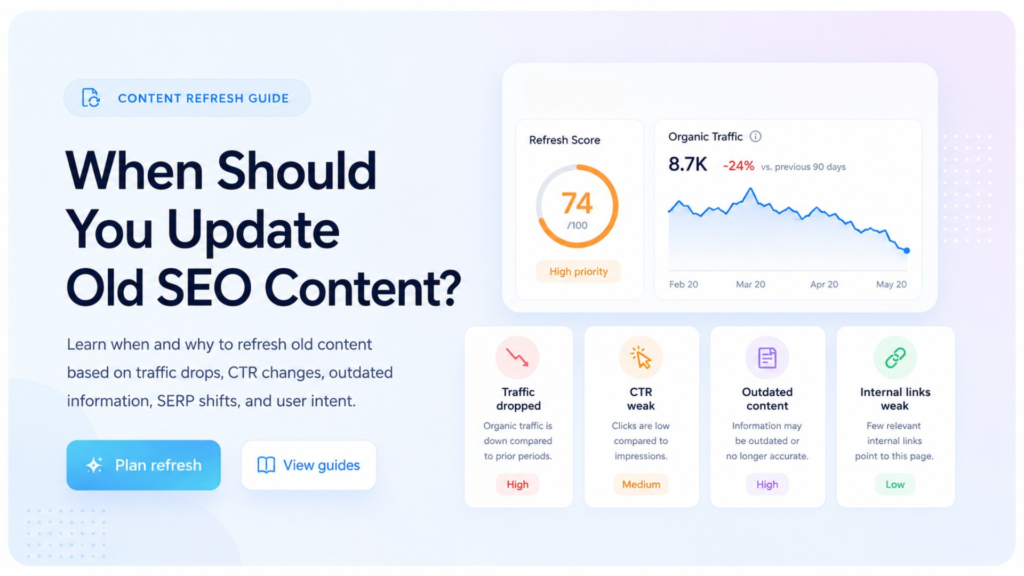
Before jumping into the steps, here is a quick reality check on why content refresh SEO is one of the highest-ROI moves you can make right now.
Most websites already have a library of posts that have built up some trust, earned a few backlinks, and picked up historical signals from Google. Creating a brand-new post from scratch takes months to gain traction. Refreshing an existing post? You are working with a head start.
According to blogging statistics published in 2026, 35% of bloggers update old posts specifically to improve rankings. Posts with optimized structure, fresh data, and better UX can improve search rankings by up to 70%. And with internal linking improvements alone, strategic optimization can increase organic traffic by over 24% for some sites.
The bottom line: refreshing old content is faster, cheaper, and often more effective than writing new content. Now, here is how to do it the right way.
1. Update Your Title Tag
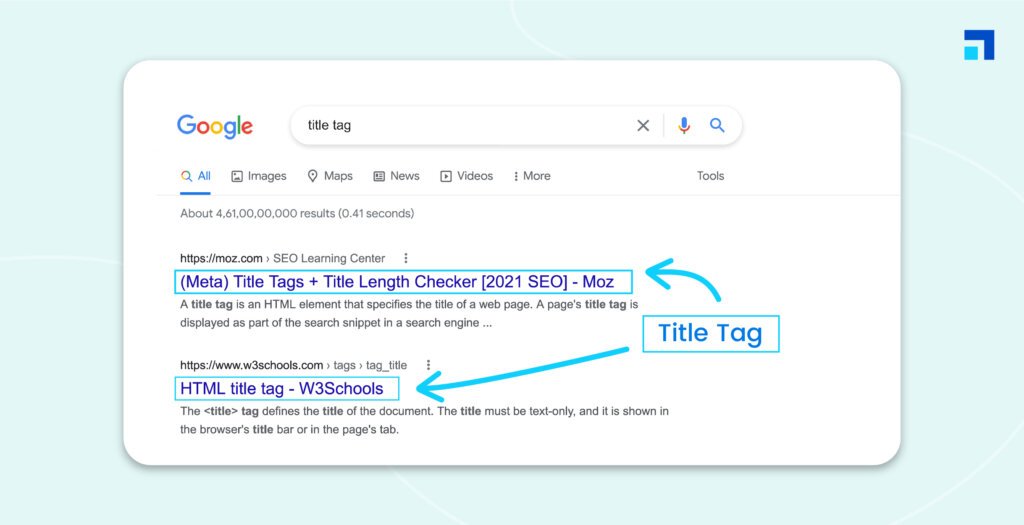
Your title tag is the first thing both Google and readers see in search results. If it were written two or three years ago, it probably would not reflect how people search today.
Go into your posts and ask: Does this title still match what my target reader is actually typing into Google? Swap vague, generic titles for specific, curiosity-driven ones.
Adding a year (like “in 2026”), a power word (“proven,” “step-by-step,” “complete”), or a number can lift your click-through rate significantly — meta titles with numbers generate a 14% higher CTR on average. Keep it under 60 characters so nothing gets cut off in search results.
Quick example:
Before: “How to Improve Your Blog”
After: “15 Proven Ways to Improve Your Blog Rankings in 2026”
2. Refresh the Publish Date (Only When Warranted)
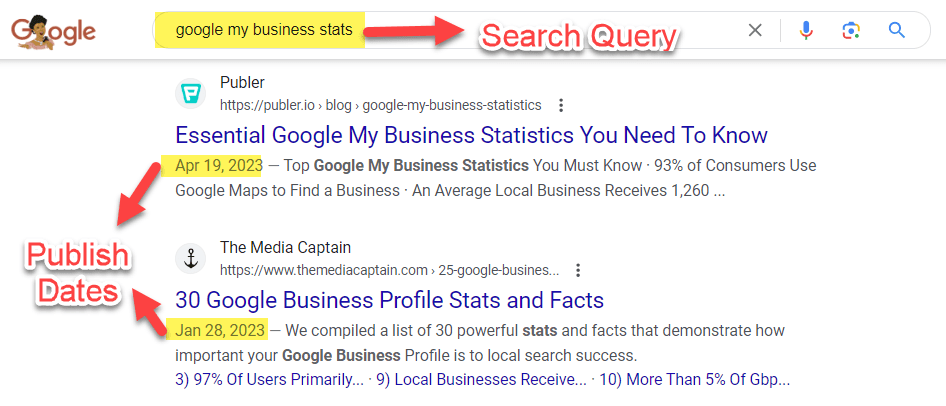
Changing the publish date signals to Google that your content has been updated — but only do this when you have actually made meaningful changes. Do not just bump the date and call it a day. Google is smarter than that.
If you have added new data, rewritten sections, updated examples, or expanded the post substantially, then yes, refresh the date. Pair it with a short editor’s note at the top like “Updated June 2026 with new data and examples.” This builds trust with readers and tells crawlers the content is current.
3. Rewrite the Introduction
Most old blog intros are guilty of one thing: they take too long to get to the point. They open with vague statements, long backstories, or generic setups that make readers bounce before the good stuff even starts.
Rewrite your intro with a direct hook that immediately speaks to the reader’s problem. State the benefit upfront. Give them a reason to keep scrolling in the first two sentences. A strong intro reduces bounce rate, improves time-on-page, and helps Google understand what your content is actually about. Think of it like this: if someone reads only your first paragraph, do they know exactly what they are getting?
4. Add 2026 Statistics and Fresh Data
Outdated statistics are a trust killer. If your post cites data from 2020 or 2021, readers notice — and so does Google’s quality assessment system.
Scan your content for any stat, study, or figure that is more than two to three years old. Replace it with current data from credible sources. A 2026 stat carries far more weight than a 2019 stat, even if they say similar things.
Readers in 2026 are more skeptical than ever — fresh, accurate data tells them you know what you are talking about and that you updated this post recently.
5. Add 3–5 Internal Links to Related Content
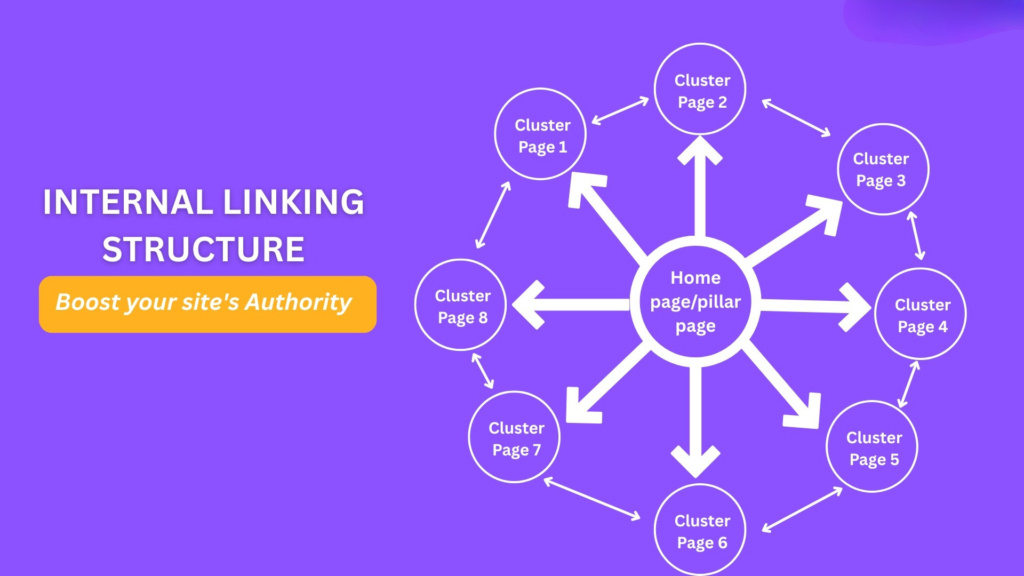
Internal linking is one of the most underused tools in content optimization. Up to 82% of internal linking opportunities are missed by most websites — which means this is low-hanging fruit for almost everyone reading this.
When you update old blog posts for SEO, add at least three to five internal links to related content on your site. Use descriptive anchor text that tells both the reader and Google what the linked page is about.
Avoid generic anchors like “click here.” Strategic internal linking improves crawlability, distributes page authority, and keeps readers on your site longer — all of which contribute to better rankings.
6. Refine Your Search Intent Match
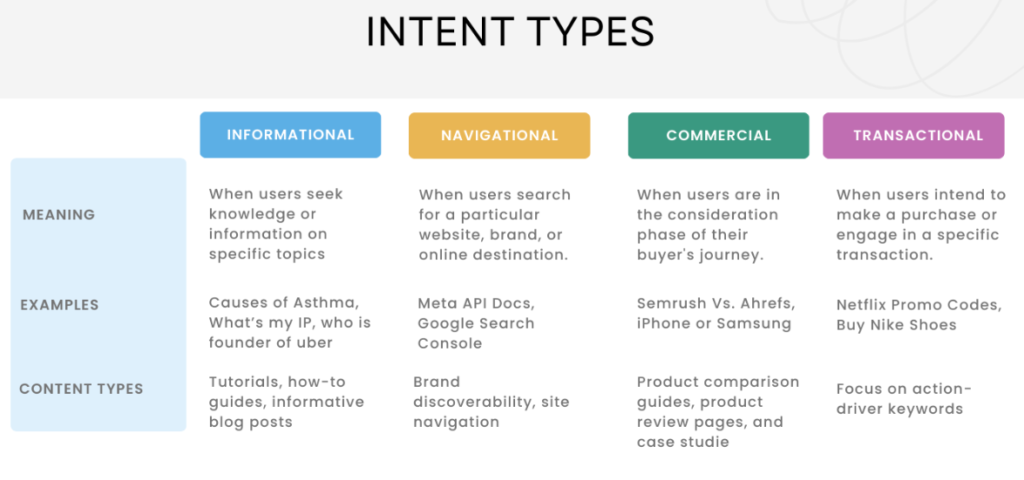
Search intent changes over time. What people meant when they typed a query in 2022 might be slightly different from what they mean now — and Google has gotten very good at detecting the gap.
Open an incognito window and search for your target keyword. Look at the top five results. Are they blog posts? Listicles? Comparisons? Videos? If your post format no longer matches what Google is serving, that is a problem. Align your content type, depth, and structure to match what users actually expect to find in 2026. This one fix can move a stuck post from page two to page one.
7. Swap Stock Images for Real Screenshots
Generic stock photos add zero value. They are forgettable, they slow down your page, and they signal low effort to savvy readers.
Replace stock images with real screenshots, custom graphics, annotated images, or original photos that directly support your content. When readers see actual proof — a real interface, a real result, a real tool in action — they trust your content more and stay on the page longer.
Higher dwell time sends positive engagement signals to Google. This is one of the quickest ways to improve old blog post rankings without touching a single word of body copy.
8. Improve Your H2s and H3s
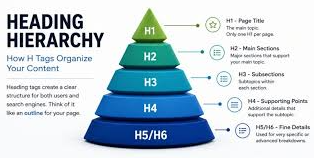
Your subheadings are not just organizational tools — they are keyword signals, navigation anchors, and readability aids all rolled into one.
Go through your old posts and tighten every H2 and H3. Make them specific, not vague. Ask: Does this heading tell the reader exactly what they are about to learn? Could it include a keyword variation naturally?
Does it stand on its own if someone is skimming? Good subheadings improve user experience, reduce bounce rate, and increase the chance your content gets pulled into AI search summaries and featured snippets.
9. Add an FAQ Section
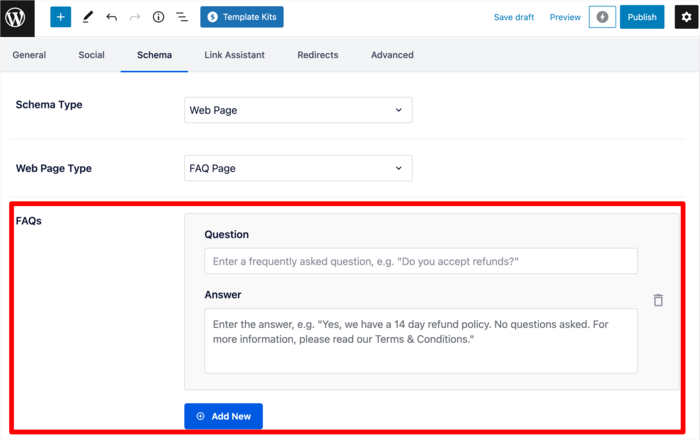
Even though Google dropped support for FAQ rich results in search as of May 2026, FAQ sections still serve two important purposes: they help AI search engines and LLMs extract direct answers from your content, and they improve the experience for human readers who skim to the bottom looking for quick answers.
Write your FAQ questions the way real people actually phrase them. Pull questions from Google’s “People Also Ask” box, forums like Reddit, or tools like AnswerThePublic. Keep answers short, direct, and genuinely helpful.
The FAQ section also gives you a natural way to cover semantic variations of your main keyword without forcing them into the body copy.
10. Add a Table of Contents
A table of contents improves user experience by letting readers jump directly to the section they care about most. For long posts — anything over 1,500 words — a TOC is almost essential.
Linked tables of contents also create anchor links within your page, which can sometimes appear in Google search results as sitelinks beneath your main listing. That kind of expanded snippet takes up more real estate in the SERP and signals that your post is well-organized and comprehensive. Most modern WordPress themes and plugins make adding a TOC a five-minute task.
11. Embed a Chart or Data Visual
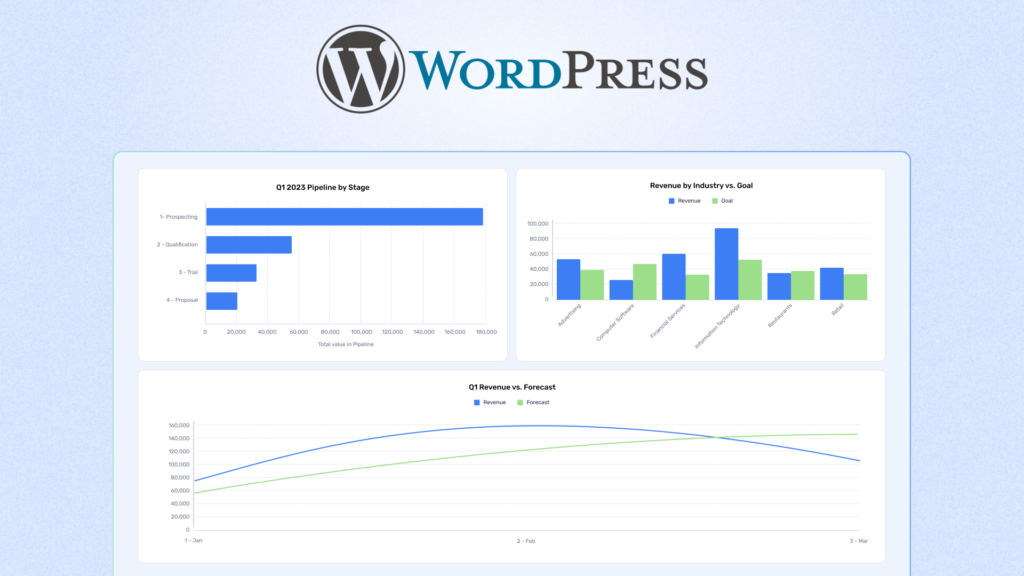
One strong, well-placed visual can do more for reader engagement than three paragraphs of explanation. Blog posts with visuals improve engagement by up to 94%, and blog posts with videos get 48% more views.
When you refresh old content for SEO, look for one key insight in your post that would be clearer as a chart, graph, or comparison table. Create a simple bar chart, a process flow diagram, or an annotated comparison. Original visuals also attract backlinks naturally — other writers reference and link to visuals they find useful.
12. Add a Case Study or Real Example
Generic advice is everywhere. Specific proof is rare. When you back up a claim with a real-world example or mini case study, your content immediately becomes more credible and useful than the average post on the same topic.
You do not need a full 2,000-word case study. Even a two-paragraph example works — a specific scenario, what happened, and what the result was. Readers (and Google) want proof that your advice actually works. This is the kind of content that AI tools cannot easily replicate, which is exactly why it earns and keeps rankings in 2026.
13. Cut Fluff Paragraphs
Long intros, filler transitions, and repeated conclusions bloat your post without adding value. Google’s algorithm — and your readers — reward clarity over word count.
Go through your older posts with an editing eye. If a paragraph does not teach, explain, or advance the reader, cut it. Shorter, tighter content can actually outperform longer content when it better matches search intent.
Think of every paragraph like real estate: it costs the reader’s attention, so make sure it pays them back. Trimming 200 words of fluff can sometimes have more impact than adding 500 new words.
14. Add Synonyms and Semantic Variations
Keyword stuffing is a relic. But semantic richness — using natural variations, related terms, and topic-adjacent vocabulary — helps Google understand the depth and context of your content.
When you re-optimize old content, read through and ask: ” Am I only using the same phrase over and over? Naturally weave in synonyms. If your primary keyword is “how to optimize old content for SEO,” also use phrases like “refresh old content for SEO,” “update outdated content for SEO,” “content refresh SEO,” and “reoptimize old content.” This is how semantic search works — coverage of a topic matters as much as the density of a single phrase.
15. Remove Broken External Links
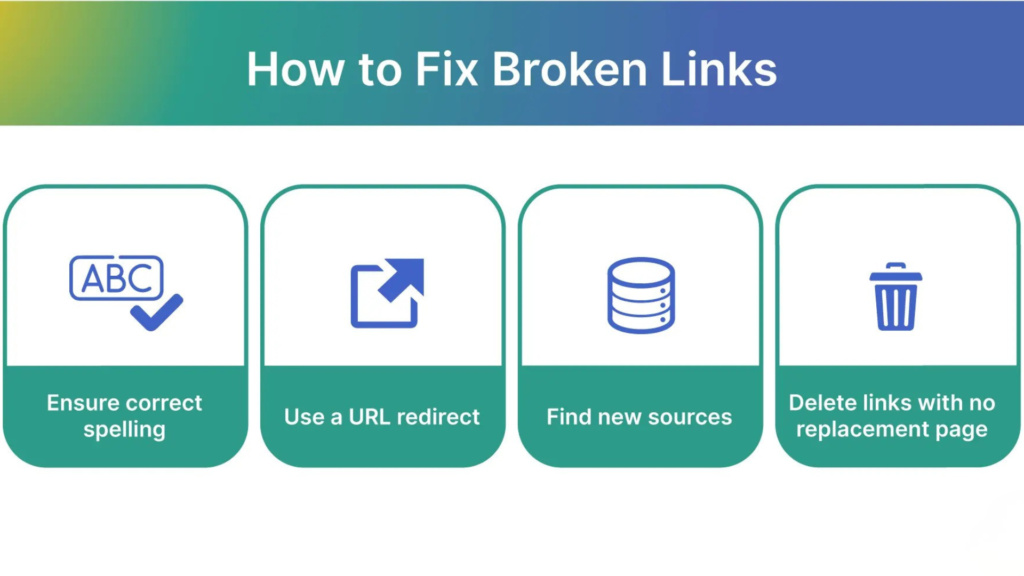
Broken links on your page are a silent credibility killer. They signal neglect to both readers and search engines, and they deliver a frustrating experience to anyone who tries to click through.
Use a free tool like brokenlinkcheck.com or the Check My Links Chrome extension to scan your older posts for broken outbound links. Replace them with working alternatives, or remove them entirely if no suitable replacement exists. While fixing broken links alone is unlikely to skyrocket your rankings, it removes a negative signal and improves the overall quality assessment of your page.
16. Improve Your Meta Description
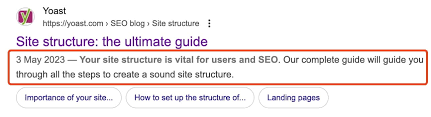
Your meta description does not directly influence your ranking — but it directly influences whether someone clicks your result. A low CTR tells Google that searchers are passing you by, which can indirectly hurt your position over time.
Rewrite your meta descriptions to be benefit-focused and specific. Lead with a result or promise. Include your primary keyword naturally. Keep it under 155 characters. A good meta description should read like a compelling one-sentence pitch for your post — not a dry summary. Posts optimized for featured snippets and strong SERP presentation see a 31% higher CTR on average.
17. Compress or Replace Large Images
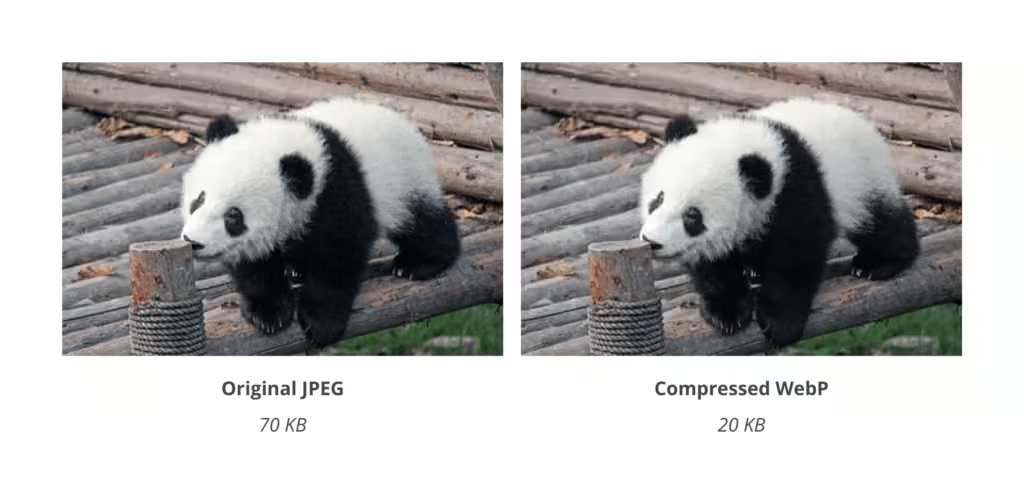
Page speed is not just a technical checkbox — it is a real ranking signal. Pages with fast loading speeds get 2x more organic traffic compared to slow counterparts, and Google’s Core Web Vitals metrics evaluate your site’s loading performance directly.
Run your old posts through Google PageSpeed Insights. If any images are oversized, compress them using tools like Squoosh, ShortPixel, or TinyPNG. Convert images to modern formats like WebP where possible.
Even reducing a single hero image from 800KB to 80KB can meaningfully cut load time — especially on mobile, where Google now weighs performance most heavily.
18. Add Content Blocks for Skimmers
The average reader reads only 50–60% of a blog post. That means a significant portion of your audience is skimming — jumping between headings, bullet points, and bolded text to find what they need.
Redesign sections of your old posts to accommodate skimmers. Use short bullet lists for multi-part answers. Bold the key phrase in each paragraph. Add callout boxes or pull quotes for important takeaways.
Use icons or numbered steps wherever a process is involved. Posts that are easier to skim get lower bounce rates, higher scroll depth, and stronger engagement signals — all of which feed into better rankings.
19. Add a New, Relevant CTA
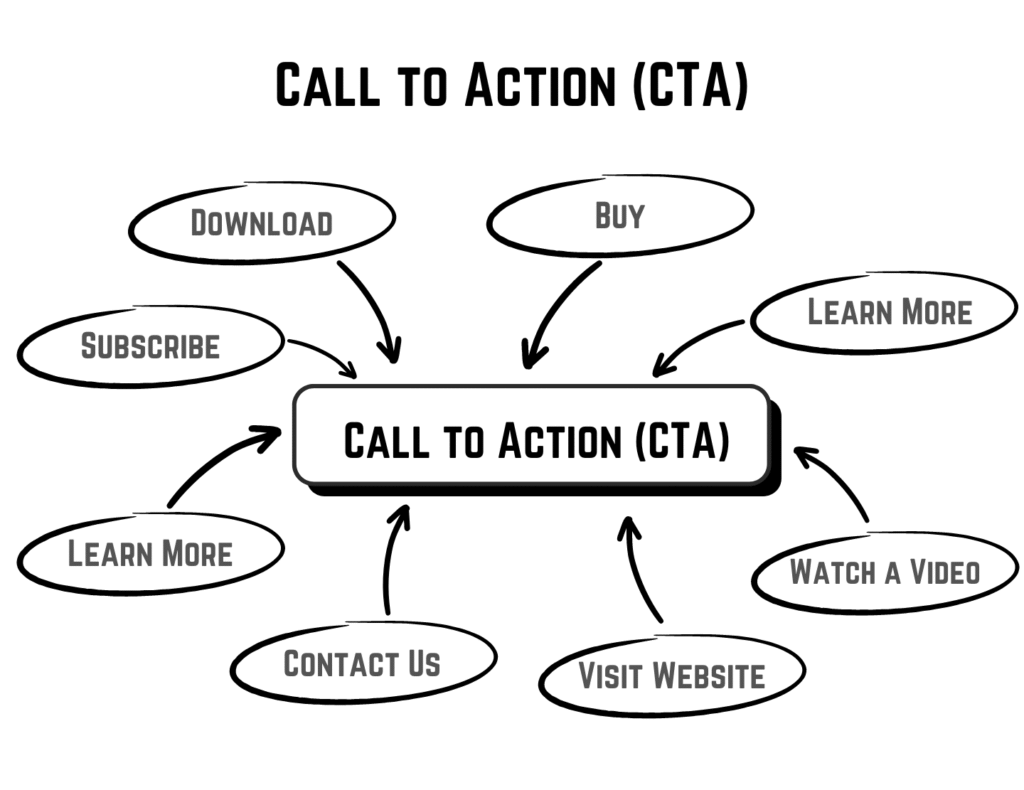
Your old posts might have outdated calls to action — referencing a product you no longer sell, a freebie that expired, or no CTA at all. A misaligned or missing CTA wastes the traffic your updated content earns.
Replace old CTAs with ones tied to your current offers, lead magnets, or conversion goals. Make the CTA contextually relevant to the post topic — a reader finishing an article about optimizing content should see a CTA that aligns with that interest. A well-placed, specific CTA turns organic traffic into actual business results.
20. Use Schema Markup (Article Schema)

While Google dropped FAQ rich results in May 2026, Article schema markup remains valuable. It helps Google understand your page structure, author identity, and publication details — all signals that support E-E-A-T.
Adding an Article schema tells Google the name of the article, the author, the publication date, and the last modified date. It also makes your content more accessible to AI-powered search systems like Perplexity and ChatGPT, which increasingly pull structured information from well-marked-up pages. Use Google’s Rich Results Test to verify your markup is valid.
21. Deoptimize Keyword Stuffing
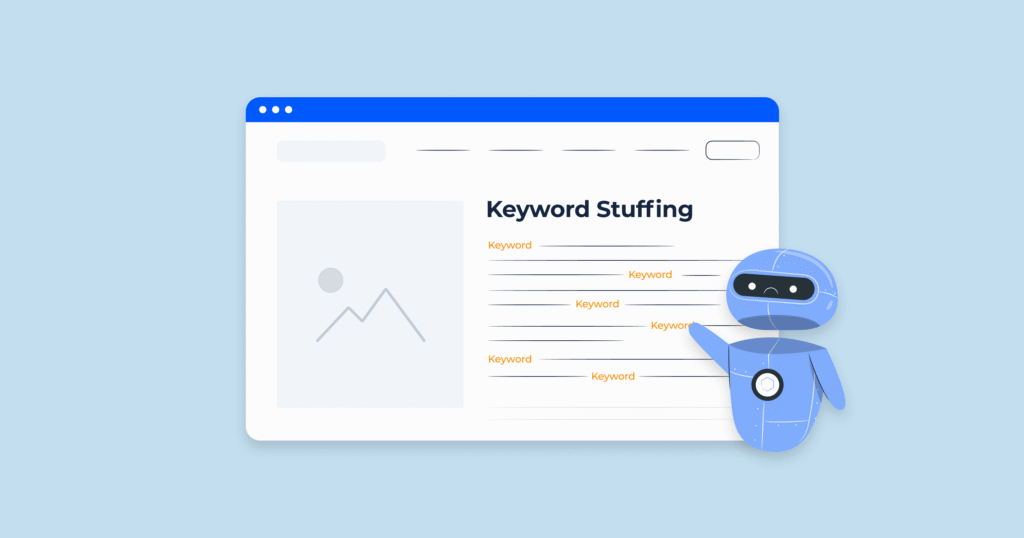
Go back and read your old posts out loud. If a phrase sounds forced, repeated, or unnatural, it probably is. Keyword stuffing is not just bad for readability; it is a negative signal that can actively suppress rankings.
Keep your primary keyword in the title, the introduction, one H2, and naturally throughout the body — but do not force it into every other sentence. Trust the semantic coverage you built in step 14. Modern Google does not need to see your exact phrase fifteen times to understand the page is about that topic. In fact, over-repetition can make Google question your content quality.
22. Add Location Information If Targeting Local Searches
If any of your content has local relevance — service areas, regional advice, city-specific examples — add that context explicitly. Google increasingly personalizes results based on location, and content that includes geo-specific language ranks better in those queries.
This applies especially to local business owners, agencies, consultants, and service providers. Mentioning your target city or region in the intro, a subheading, or a dedicated section can unlock geo-filtered visibility without creating entirely new location pages.
23. Add Internal Anchor Links (Jump Links Within the Post)
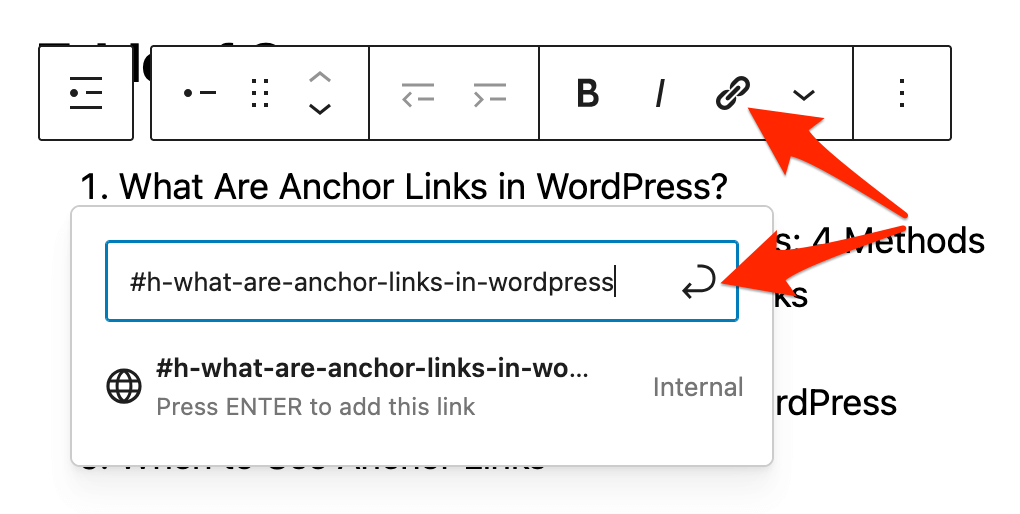
Internal anchor links let readers jump directly to sections within the same post — and they also help Google understand your content structure at a granular level.
For long-form posts, especially, create anchor links in your table of contents that connect to each H2 or H3 section. This improves usability, increases scroll depth, and can sometimes earn sitelinks-style indents in the SERP. Anchor links are a small detail that signals a well-structured, reader-first piece of content.
24. Add an Author Bio with Real Expertise Signals
E-E-A-T — Experience, Expertise, Authoritativeness, and Trustworthiness — is Google’s quality framework, and it has only become more important as AI content floods the web. One of the clearest trust signals you can add is an author bio that demonstrates real credentials.
Make sure every updated post includes a short but specific author bio at the bottom. Mention relevant experience, credentials, years in the field, and notable achievements.
Include a link to the author’s profile page or LinkedIn. In 2026, author entities and Person Schema are increasingly used by Google to evaluate the trustworthiness of content — and by AI systems like ChatGPT to decide whose content gets cited.
25. Reassign to a Better Category or Topic Cluster
Site architecture matters more than most bloggers realize. If your post is sitting in a generic “Uncategorized” category or buried under an irrelevant topic cluster, it is missing out on topical authority signals.
Reassign old posts to tightly focused categories that reflect your content clusters. A post about optimizing existing blog posts should live within a cluster of SEO or content marketing content — linked to and from your pillar pages. Topical authority is one of the strongest ranking signals in 2026, and proper categorization is the foundation that makes it possible.
Content Refresh Quick-Reference Guide
| Optimization Step | Priority | Time to Complete | SEO Impact |
|---|---|---|---|
| Update Title Tag | High | 10 min | CTR, rankings |
| Rewrite Introduction | High | 30 min | Bounce rate, engagement |
| Add 2026 Statistics | High | 30–60 min | E-E-A-T, trust |
| Add Internal Links (3–5) | High | 20 min | Crawlability, authority |
| Refresh Search Intent Match | High | 45 min | Rankings, relevance |
| Improve Meta Description | High | 45 min | CTR |
| Cut Fluff Paragraphs | Medium | 10 min | UX, dwell time |
| Compress Large Images | Medium | 20–40 min | Page speed, Core Web Vitals |
| Add FAQ Section | Medium | 20 min | AI search visibility |
| Add Table of Contents | Medium | 30 min | UX, sitelinks |
| Swap Stock Images | Medium | 15 min | Trust, time-on-page |
| Remove Broken Links | Medium | 30–60 min | Crawl health |
| Improve H2s and H3s | Medium | 20 min | Keywords, UX |
| Add Author Bio | Medium | 20–30 min | E-E-A-T, trust |
| Add Schema Markup (Article) | Medium | 20 min | Rich results eligibility |
| Add a Case Study or Example | Medium | 30 min | Credibility, backlinks |
| Add Content Blocks for Skimmers | Low | 60 min | Scroll depth, bounce rate |
| Add Synonyms and Variations | Low | 20 min | Semantic relevance |
| Deoptimize Keyword Stuffing | Low | 20 min | Quality signals |
| Add New CTA | Low | 15 min | Conversions |
| Embed a Chart or Visual | Low | 10 min | Engagement, backlinks |
| Add Internal Anchor Links | Low | 45 min | UX, structure |
| Refresh the Publish Date | Low | 15 min | Freshness signal |
| Add Location Info (if relevant) | Low | 15 min | Local visibility |
| Reassign to Better Category | Low | 10 min | Topical authority |
Start Refreshing Your Old Content and Watch Your Rankings Climb
You do not need a bigger content budget or a longer publishing schedule to grow your organic traffic. What you need is a smarter approach — and refreshing old content is exactly that.
The 25 steps above cover every dimension of a true content refresh: intent alignment, trust signals, technical performance, internal architecture, and user experience. Apply even half of these to your highest-potential posts, and you will likely see measurable ranking improvements within a few weeks to a couple of months.
If you want expert SEO help identifying which posts to refresh first and building a content optimization strategy tailored to your site, Khalid Hussain at SEO Visibility has spent 15+ years helping businesses, agencies, and eCommerce stores do exactly this — turning underperforming content into consistent organic traffic machines. Reach out today and let your existing content finally start working harder for you.


![How Much Does an SEO Expert Cost in 2026 [SEO Pricing]](https://seovisibility.co/wp-content/uploads/2026/01/how-much-does-an-seo-expert-cost.png)


![SEO Copywriting Checklist [Easy to Follow Guidelines]](https://seovisibility.co/wp-content/uploads/2026/01/seo-copywriting-checklist.png)