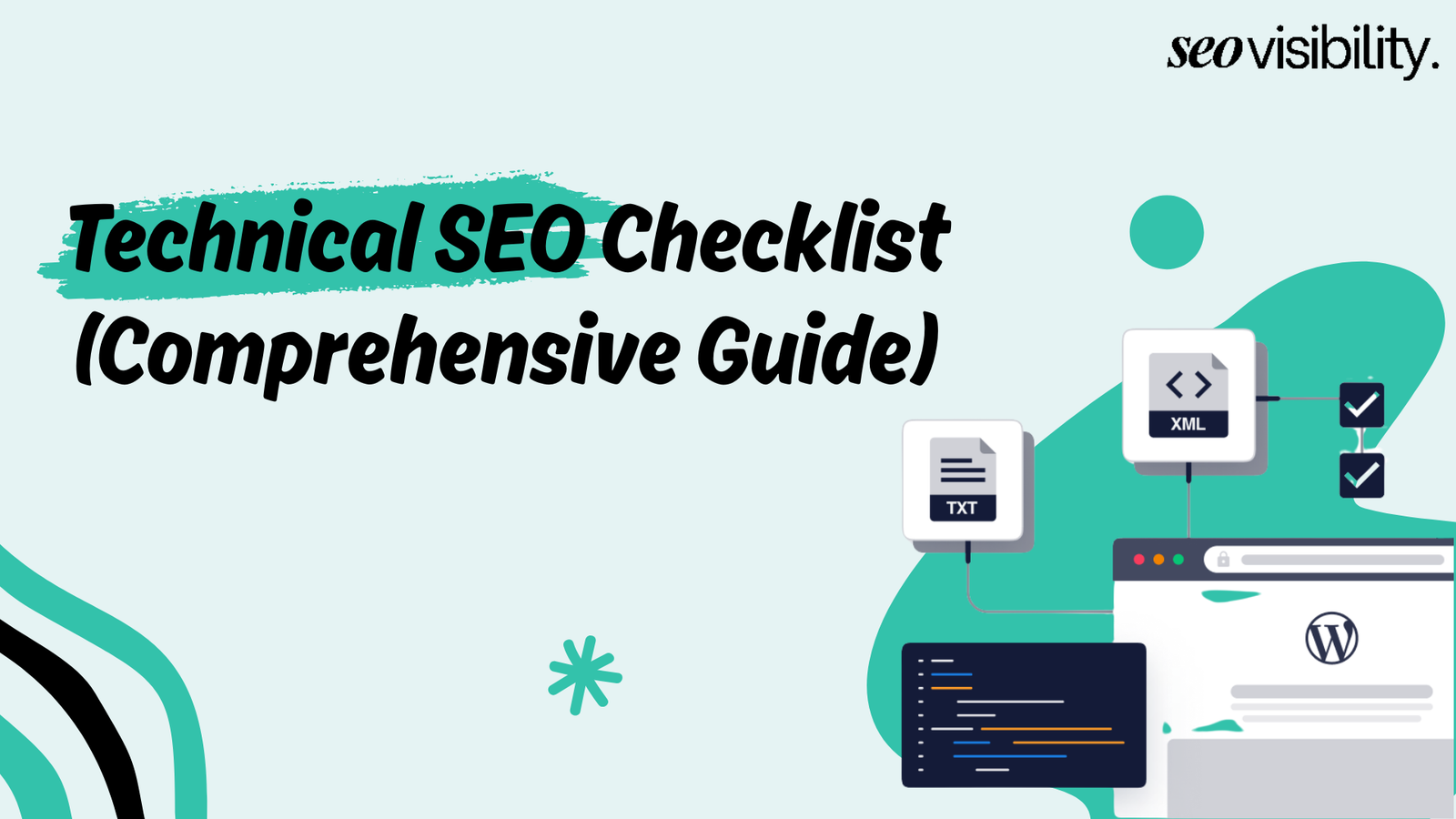
Technical SEO optimization is the foundation that decides whether search engines can properly crawl, index, and rank your website. Without it, even the best content stays invisible. A well-executed technical SEO campaign can deliver up to 117% ROI — and every element in this guide moves you closer to that result.
This guide covers all 50 technical SEO elements you need to audit and implement. Whether you’re a site owner doing it yourself or a developer working with an SEO team, these tips are practical and straight to the point.
Let’s walk through these 50 elements that make the real difference.
1. Use Hreflangs
If you run a website targeting multiple countries or languages, hreflang attributes tell Google which version of a page to show each user. Without them, Google picks the wrong version — and users land on pages in the wrong language.
- Add the hreflang attribute in your tag or HTTP header for every localized version
- Include a self-referencing hreflang tag on each localized page
- Add an x-default tag to handle users from unmatched regions
- Run a dedicated hreflang audit to catch errors early
2. Optimize Images
Images are often the heaviest assets on a page, and unoptimized images are a fast way to sink your LCP score — which should be under 2.5 seconds. AVIF gives you superior compression over WebP and JPEG — worth using if your stack supports it.
- Convert images to modern formats like WebP or AVIF
- Set fetchpriority=”high” on your hero image or any image visible on load
- Enable lazy loading for images below the fold
- Set explicit width and height attributes on all images to prevent layout shift
- Compress all images before uploading
3. Add Breadcrumbs
Breadcrumbs give search engines a clear picture of your site’s hierarchy and help users understand where they are. Google often displays breadcrumbs in search results instead of the full URL, which can improve click-through rates.
- Add breadcrumb navigation to every page below the homepage
- Implement the BreadcrumbList schema so Google can read the structure programmatically
- Keep the breadcrumb trail accurate — it should reflect the real path from the homepage to the current page
4. Implement HTTPS
HTTPS is a confirmed Google ranking signal, and any site still running on HTTP is leaving ranking potential on the table. Beyond the SEO impact, browsers flag HTTP sites as “Not Secure,” which kills trust before a user even reads a word. 97% of SEO professionals use Google Search Console to catch these issues.
- Move your entire site to HTTPS
- Set up 301 redirects from all HTTP URLs to their HTTPS equivalents
- Update all internal links to point to HTTPS versions
- Check Google Search Console for mixed content warnings
5. Optimize Font Files
Custom fonts are a common but overlooked cause of slow rendering. When the browser has to download a font before displaying text, you get a flash of invisible text (FOIT) or a layout shift — both hurt user experience and Core Web Vitals.
- Set font-display: swap so text shows immediately in a fallback font while the custom font loads
- Preload your most-used font files using in the
- Limit yourself to one or two font families and only load the weights you actually use
- Self-host fonts instead of loading from Google Fonts to remove a DNS lookup
6. Optimize CSS Code
Bloated CSS slows down rendering because the browser has to parse the entire stylesheet before it can paint the page. Tools like the Chrome DevTools Coverage tab show you exactly how much of your CSS is unused on any given page.
- Extract critical CSS — the styles needed to render above-the-fold content — and inline it in the
- Load the rest of your CSS asynchronously
- Remove unused CSS with a tool like PurgeCSS
- Minify stylesheets as a standard build step
- Audit the CSS generated by any page builder your site uses
7. Analyze Crawl Stats
Google Search Console’s Crawl Stats report shows how often Googlebot visits your site, how many pages it crawls per day, and how long each request takes. This is where you find out if Google is wasting crawl budget on the wrong pages.
- Open the Crawl Stats report in Google Search Console and review crawl frequency and response times
- Check for spikes in crawl requests that may indicate crawl traps like infinite pagination or session-based URLs
- Investigate if important pages are getting crawled — if not, use this report to diagnose why
- Pair crawl stats data with server logs for the full picture
8. Improve Click Depth
Click depth is the number of clicks it takes to reach a page from the homepage. Pages buried five or six clicks deep get crawled less often and tend to rank worse — every important page should be within 3 clicks of the homepage.
- Audit your site’s click depth using a crawler like Screaming Frog or Sitebulb.
- Identify important pages sitting more than 3 clicks from the homepage
- Add links to deep pages from high-traffic or high-authority pages that are already well-indexed
9. Add Relevancy to Links
When you link between pages, the surrounding context matters. A link with a generic anchor like “click here” tells Google almost nothing. A link that sits inside a paragraph about a related topic, with a descriptive anchor, passes real topical context.
- Place internal links naturally within relevant body content — not just in sidebars or footers
- Use anchor text that reflects what the target page is about
- Link from pages that are topically related to the destination page
- Review existing internal links and update generic anchors with descriptive ones
10. Check JavaScript Links
Links rendered by JavaScript can be invisible to search engine crawlers if they aren’t executed properly. Google does crawl JS, but there’s often a delay — and some crawlers used by SEO tools never execute JS at all.
- Run a crawl using Screaming Frog with JS rendering enabled and compare links found with and without JS execution
- Identify links that only appear with JS enabled — these are at risk of being missed
- Replace JS-only navigation and category links with standard HTML tags wherever possible
11. Manage the Mega Menu
Large sites with mega menus often link to hundreds of pages from every single page. This floods each page with internal links, which dilutes the link equity being passed to any individual destination.
- Audit which pages your mega menu links to and remove low-priority links from the main navigation
- Support lower-priority pages through contextual internal links and sitemaps instead of the main menu
- Keep the mega menu lean — remember Googlebot sees those links on every page it crawls
12. Avoid Thin Content Pages
Thin content pages — auto-generated pages, pages with only a few lines of text, boilerplate pages, or near-duplicate variations — waste crawl budget and can pull down your site’s overall quality signals. 28% of marketers say technical debt, including accumulated thin pages, is the biggest risk to their technical SEO performance.
- Audit your site for pages under a minimum word count threshold or with high similarity scores
- Consolidate thin pages into stronger, more comprehensive pages where possible
- Add real, unique content to pages that have genuine value but need more substance
- Block pages with no indexable value using a noindex tag or robots.txt rule
13. Analyze URL Parameters
When your site uses URL parameters like ?sort=price&color=red, each parameter combination can create a new URL that Google sees as a separate page. This generates massive amounts of near-duplicate content and burns crawl budget fast.
- Use Google Search Console’s URL Parameters tool or block parameter-based URLs in robots.txt
- Add canonical tags on parameter variations pointing back to the clean base URL
- Prioritize this fix for eCommerce sites with filtering — unmanaged parameters can create thousands of duplicate pages overnight
14. Analyze Duplicate Content
Duplicate content splits your link equity and makes it harder for Google to know which version to rank. Duplicates show up in lots of ways: www vs. non-www, HTTP vs. HTTPS, trailing slash vs. no trailing slash, printer-friendly versions, and syndicated content.
- Run a site crawl and identify pages with identical or near-identical content
- Set up 301 redirects to consolidate URL variations into one canonical version
- Add canonical tags to content that legitimately needs to live in multiple places
- Point all authority behind a single URL for each piece of content
15. Optimize Caching Strategy
Caching stores a version of your page so returning visitors — and sometimes Googlebot — get a faster response without hitting your server again. Misconfigured CDN caching is a common cause of stale content showing up in search.
- Set Cache-Control headers with long expiry times (a year is common) on static assets like images, CSS, and JS
- Use shorter cache durations or no-cache directives for HTML pages so updated content stays fresh
- Align your CDN caching rules with what your origin server is sending
- Check cache headers using Chrome DevTools > Network tab and review response headers for each resource
16. Optimize the Internal Search
Your site’s internal search function often creates indexable URLs like yoursite.com/search?q=shoes. These pages have near-zero value to Google — they’re just lists of results that change every time — and if Google indexes them, it burns crawl budget on useless pages.
- Block internal search result pages from indexing using a noindex meta tag
- Disallow the search URL pattern in robots.txt as a secondary measure
- Check whether internal search pages are receiving internal links accidentally, and remove those links
17. Analyze the Coverage Report
Google Search Console’s Coverage report (now called the Indexing report in newer GSC versions) tells you which pages are indexed, which are excluded, and why. It’s one of the most important tools in any technical SEO guide.
- Open the Coverage/Indexing report in GSC and review the Excluded tab regularly
- Investigate pages marked “Crawled – currently not indexed” or “Discovered – currently not indexed.”
- Fix the underlying issue — thin content, low quality, or slow crawl prioritization — before resubmitting pages
18. Set Up Trailing Slash Redirects
Whether you use a trailing slash (/about/) or not (/about) doesn’t matter on its own — what matters is consistency. Both versions of a URL appearing simultaneously create a duplicate content issue.
- Pick one URL format — with or without a trailing slash — and apply it across your entire site
- Set up 301 redirects from the non-preferred version to your chosen format
- Test key URLs manually by typing both versions and confirming one redirects to the other
- Update internal links and your sitemap to only reference the canonical version
19. Use New Structured Data Types
Google regularly adds new schema types and expands what’s eligible for rich results. Sites that test and implement these early get a head start on visibility before everyone else catches on. Pages with structured data earn around 25% more clicks than those without — and users spend 1.5x longer on those pages.
- Check Google’s Rich Results Test and schema.org documentation regularly for new types relevant to your industry
- Implement newly eligible schema types (vehicles, vacation rentals, practice problems, etc.) where applicable
- Validate the new schema using the Rich Results Test before deploying
- Monitor for rich result appearances in Google Search Console after implementation
20. Optimize Critical Rendering Path
The critical rendering path is the sequence of steps the browser takes to convert HTML, CSS, and JS into a visible page. Every render-blocking resource in that path delays how quickly users and Googlebot see your content. This directly impacts your LCP score, which should be under 2.5 seconds for a good Core Web Vitals rating.
- Identify render-blocking scripts and stylesheets using PageSpeed Insights or Lighthouse
- Add defer or async attributes to non-critical JavaScript
- Inline critical CSS and load the remaining styles asynchronously
- Aim to get the browser painting above-the-fold content as early as possible
21. Validate Schema Implementation
Adding schema markup is only half the job. If it’s implemented incorrectly — wrong property names, missing required fields, invalid values — Google won’t generate rich results from it. Errors can sit undetected for months.
- Run all pages with schema through Google’s Rich Results Test
- Validate schema using the Schema Markup Validator at schema.org
- Fix all errors first, then review warnings to maximize which properties appear in rich results
- Set a recurring schedule to revalidate the schema after site updates or CMS/template changes
22. Set Up Alternative Domain Redirects
Your site probably resolves on both www.yourdomain.com and yourdomain.com. If both versions load without redirecting to one canonical version, you’ve split your link equity and created a duplicate content issue from day one.
- Pick your preferred domain version — with or without www
- Set up a 301 redirect from the non-preferred version to your canonical domain
- Set your preferred domain in Google Search Console
- Confirm your SSL certificate covers both versions (wildcard cert or SANs)
23. Create an SEO-Friendly URL Structure
URL structure affects both crawlability and click-through rate. URLs with relevant keywords see 45% higher CTR than generic ones — and clean URLs are easier for both users and crawlers to understand.
- Keep URLs short, lowercase, and hyphen-separated
- Include the primary keyword for each page where it fits naturally
- Remove numbers, session IDs, and unnecessary subfolders from URLs
- Structure URLs to mirror your site hierarchy so Googlebot can understand your content organization
- Plan redirects carefully before restructuring URLs on an established site
24. Use the JSON-LD Structured Data Format
There are three ways to add schema markup: Microdata, RDFa, and JSON-LD. Google recommends JSON-LD, and for good reason: it sits in a
- Use JSON-LD for all schema implementations across your site
- Avoid Microdata or RDFa unless there is a specific technical reason to use them
- Paste any manually written JSON-LD into Google’s Rich Results Test before deploying to catch formatting issues
- Check that your CMS schema plugins (Yoast, RankMath, Schema Pro) are outputting JSON-LD by default
25. Expand Schema Past Google’s Documentation
Google’s documentation covers the schema types it uses for rich results, but schema.org defines hundreds more properties that Google, other search engines, AI crawlers, and knowledge graph systems can still read and use. Definition lists and structured entity data are 30-40% more likely to be cited in AI-generated answers.
- Add extra Organization schema properties like foundingDate, numberOfEmployees, areaServed, and knowsAbout
- Review schema.org for properties beyond what Google’s documentation lists for your schema types
- Implement entity-rich structured data to strengthen your presence in knowledge graphs
- Treat expanded schema as a forward-looking move — as AI Overviews trigger for more queries, richer structured data becomes a real advantage
26. Add Lang and Content-Language HTML Tags
The lang attribute on your tag tells search engines and browsers what language your page is written in. Pairing it with the Content-Language HTTP header makes sure Google doesn’t guess the language wrong — which reduces the chance of your pages being served to the wrong audience.
- Add lang=”en” (or the correct language code) to the tag on every page
- Set the Content-Language HTTP response header on multilingual sites
- Verify that the HTML attribute and the HTTP header both match the actual page language
- Check that CMS templates apply the lang attribute sitewide, not just on the homepage
27. Verify the Language and Country Codes
Using the wrong code in your hreflang tags can silently break your international SEO. A common mistake: en-UK is wrong — the correct code is en-GB. A single typo can send your US pages to UK users, or vice versa.
- Run all hreflang tags through Google’s hreflang validator or the International Targeting report in GSC
- Cross-check every language code against the ISO 639-1 standard
- Cross-check every country code against the ISO 3166-1 alpha-2 standard
- Fix any malformed code and resubmit the affected pages in GSC
28. Analyze International Internal Linking
On a multilingual site, internal links need to connect users and crawlers to the right language version. If your Spanish pages link to English pages instead of other Spanish pages, you’re sending confusing signals to Google and creating a broken experience for users. This is one of the most overlooked steps in a proper technical seo checklist for international sites.
- Crawl each language version separately and check where internal links point
- Ensure pages within each locale link to other pages in the same locale
- Replace any cross-language internal links with the correct localized version
- Verify that navigation menus, breadcrumbs, and footer links respect locale boundaries
29. Analyze Internal Linking on Mobile
Your desktop site might have perfectly structured internal links, but mobile menus, accordions, and collapsed sections can hide those links from both users and crawlers. Since over 75% of web traffic comes from mobile devices, this check is non-negotiable.
- Run key pages through Google’s Mobile-Friendly Test and inspect link accessibility
- Check whether important navigation links are hidden inside JavaScript-rendered dropdowns
- Compare the internal links visible in desktop view vs. mobile view using a crawler
- Replace any mobile-only hidden links with accessible HTML alternatives for critical navigation
30. Analyze the Client-Side Rendering
Client-side rendering (CSR) means your page content is built in the browser using JavaScript. Googlebot has to render the page to see that content, and rendering takes extra time and resources, which can delay the indexing of important pages.
- Use Google’s URL Inspection tool to see what Googlebot actually renders for key pages
- Compare the cached page version to the browser-rendered version for content gaps
- Identify any important content (headings, body text, links) that is invisible without JS execution
- Implement server-side rendering or pre-rendering for critical pages that rely heavily on CSR
31. Analyze Real-User Performance
Lab data from tools like Lighthouse gives you a controlled snapshot, but real-user data tells you how your site actually performs in the wild. Real-user performance issues often come from third-party scripts, fonts, or ads that lab tests don’t fully simulate.
- Check the Core Web Vitals field data in Google Search Console under the Core Web Vitals report
- Verify INP (Interaction to Next Paint) is under 200ms for all key pages
- Verify LCP is under 2.5 seconds, and CLS is below 0.1 using CrUX data
- Identify third-party scripts, ads, or fonts causing field data to diverge from lab data
- Use the Chrome User Experience Report (CrUX) to compare performance across device types
32. Remove Spammy Internal Links
Not all internal links are worth keeping. Links to low-quality pages, doorway pages, or excessive links stuffed into footers and sidebars dilute your link equity and can look manipulative to Google. Clean internal linking improves how PageRank flows through your site.
- Run a full site crawl with Screaming Frog and flag pages with an unusually high number of incoming internal links
- Audit footer and sidebar links and remove any that don’t serve the user
- Remove or consolidate internal links pointing to low-quality, thin, or doorway pages
- Check for sitewide links added by plugins or widgets that link to irrelevant content
33. Create Valuable Anchor Texts
Your anchor text is a direct signal to Google about what the linked page is about. Generic anchors like “click here” or “read more” waste that signal entirely. Use descriptive, keyword-relevant anchor text — but vary it naturally rather than repeating the same keyword every time.
- Audit internal links and flag any using generic anchors like “click here,” “read more,” or “here”
- Replace generic anchors with descriptive text that reflects what the target page covers
- Vary the anchor text naturally across multiple links pointing to the same page
- Write anchors the way you’d reference a page in natural conversation
34. Improve Server Performance
A slow server response time (TTFB — Time to First Byte) delays everything: rendering, indexing, and user experience. Your server should respond in under 600ms. A slow TTFB is often the root cause of poor Core Web Vitals scores.
- Measure TTFB using WebPageTest or GTmetrix for your key pages
- Check server location relative to your primary audience and consider a CDN if there’s a large gap
- Evaluate whether shared hosting is limiting response times and consider upgrading to a VPS or managed cloud host
- Add a server-side caching layer (like Redis or full-page caching) if not already in place
35. Add Links to Orphan Pages
Orphan pages have no internal links pointing to them — Googlebot can only find them through your XML sitemap, if at all. Every important page should be reachable within 3 clicks from the homepage through normal site navigation.
- Run a full site crawl and cross-reference results against your sitemap to identify orphan pages
- Decide which orphan pages are worth keeping and which should be removed or consolidated
- Find relevant existing pages where a contextual link to each orphan makes sense
- Add internal links to orphan pages from topically related, already-indexed content
36. Remove Internal Redirects
When Page A links to Page B, but Page B redirects to Page C, you’re wasting crawl budget and diluting PageRank unnecessarily. These redirect chains inside your own site are easy to clean up. This is a quick win that’s often ignored in technical seo audits but adds up fast across large sites.
- Run a site crawl and filter for internal links pointing to 301 or 302 redirect URLs
- Update each flagged link to point directly to the final destination URL
- Check navigation menus, footers, and sitemaps for outdated redirect links
- Recheck after site migrations or URL restructuring, when redirect chains are most likely to appear
37. Verify Content Localization
Translating your content is just the first step — real localization means adapting it for the local audience. Google can pick up on these signals, and users definitely do: localized content converts better and earns more engagement.
- Check that dates, currencies, and measurements match the target market’s format
- Verify that address formats, phone number formats, and postal code formats are localized
- Review spelling and vocabulary differences between regional English versions (UK vs. US, etc.)
- Audit cultural references and examples to make sure they resonate with the target audience
- Confirm that translated metadata (title tags, meta descriptions) is also fully localized
38. Optimize Pagination Links
Pagination links — the “Next” and “Previous” links across paginated content — help Google understand the relationship between pages in a series. Mishandled pagination can lead to crawl budget waste or duplicate content issues.
- Confirm paginated pages are crawlable and not accidentally blocked in robots.txt
- Ensure each paginated URL has its own unique content, not a copy of page 1
- Set each paginated page to canonicalize to itself (not to the first page)
- If using infinite scroll, implement lazy loading with proper URL changes so crawlers can access all content
- Check that Next/Previous link markup is in clean HTML, not JavaScript-only
39. Manage Filtering Strategy
Filter pages on e-commerce or listing sites can create thousands of near-duplicate URLs almost overnight. An unmanaged filtering system is one of the fastest ways to create a crawl budget problem and dilute your strongest category pages.
- Identify all URL parameter combinations generated by your filtering system
- Decide which filter combinations have enough unique value to warrant indexing
- Set non-valuable filter URL combinations to noindex
- Add canonical tags on filtered pages pointing to the main category page where appropriate
- Configure URL parameters in Google Search Console so Googlebot knows how to handle them
40. Optimize Your 404 Page
A 404 page that just says “Page Not Found” is a missed opportunity. A well-designed 404 page reduces bounce rates and keeps users from leaving your site entirely — and getting the technical side right prevents soft 404 indexing issues.
- Confirm your 404 pages return an actual 404 HTTP status code (not a 200 “soft 404”)
- Add helpful navigation to your 404 page: links to the homepage, top categories, and a search bar
- Check GSC’s Coverage report for pages flagged as soft 404s and fix the underlying issue
- Set up a 301 redirect for any high-traffic URLs that now return 404 errors
41. Remove Nofollow Links
Internal nofollow links are almost always a mistake. When you nofollow a link to one of your own pages, you’re actively telling Google not to follow it or pass PageRank — which is the opposite of what you want for your own content.
- Crawl your site and filter for internal links with rel=”nofollow” attributes
- Remove the nofollow attribute from internal links pointing to your own indexable pages
- For pages you genuinely don’t want indexed (like login or cart pages), use a noindex tag on the page itself instead
- Recheck after CMS or plugin updates, which can sometimes re-add nofollow attributes automatically
42. Build an XML Sitemap
Your XML sitemap is a direct line of communication with Google — it tells Googlebot which pages you want indexed. A solid sitemap is one of the foundations of any technical seo guide. Google’s limit is 50,000 URLs per sitemap file and 50MB uncompressed, so large sites need a sitemap index file pointing to multiple sitemaps.
- Generate an XML sitemap containing only indexable pages (no noindex pages, redirects, or broken URLs)
- Create a sitemap index file if your site exceeds 50,000 URLs
- Submit the sitemap to Google Search Console and check for errors
- Set up automatic sitemap regeneration so new and updated pages are included promptly
- Review the sitemap regularly to remove pages that have been deleted or blocked
43. Optimize JavaScript
JavaScript that isn’t optimized can slow your page down significantly and make it harder for Googlebot to render your content. Smaller, leaner JavaScript means faster pages and easier rendering for search engines.
- Defer non-critical JavaScript using the defer attribute so it doesn’t block the initial render
- Audit scripts in your and replace any without async or defer
- Split JS bundles and remove unused code through tree shaking in your build process
- Use the browser DevTools Coverage tab to identify unused JavaScript on key pages
- Check that removing or deferring scripts doesn’t break any critical page functionality
44. Remove HTTP Links
If your site is on HTTPS but internal links still point to HTTP versions of pages, you’re creating unnecessary redirect hops that add latency and waste crawl budget. Mixed content warnings can also hurt user trust.
- Run a site crawl and filter for any internal link targets beginning with http://
- Update all flagged internal links to their HTTPS equivalents
- Check CSS files and image src attributes for HTTP references
- Scan third-party embeds and iframes for mixed content
- Verify no mixed content warnings appear in the browser console on key pages
45. Analyze Server Logs
Server logs are the most honest source of data about how Googlebot actually crawls your site. They show which pages get crawled, how often, and whether bots are wasting time on unimportant pages. If Googlebot is spending most of its crawl budget on filter pages and session IDs while ignoring your main content, server logs will tell you.
- Obtain server log files from your hosting provider or server admin
- Parse logs using Screaming Frog Log Analyzer or SEOlyzer to isolate Googlebot activity
- Identify which pages Googlebot visits most often and whether they’re your most important pages
- Flag unimportant URLs consuming a disproportionate share of crawl budget
- Cross-reference crawl frequency data with your GSC Crawl Stats report for a complete picture
46. Analyze Rendering
Understanding how Googlebot renders your pages is essential technical seo optimization work. If there’s content visible in the browser that doesn’t appear in Google’s rendered version, Googlebot can’t see it either.
- Use the URL Inspection tool in Google Search Console to view the rendered HTML for key pages
- Compare the browser-rendered view to the GSC-rendered view for content and link differences
- Check that navigation menus and body content appear fully in the rendered version
- Identify any content loaded via JavaScript after user interaction that Googlebot won’t trigger
- Test rendering for both mobile and desktop Googlebot using the URL Inspection tool
47. Use JS Links Smart
Not all JavaScript links are bad, but they do create extra work for Googlebot. Where you can serve navigation links as plain HTML anchor tags instead of JS-rendered elements, do it — it’s always the safer choice for crawlability.
- Audit navigation links and replace JS-rendered links with standard HTML tags where possible
- Ensure any remaining JS links use proper tags rather than onClick events or custom JS routing without real URL paths
- Reserve JavaScript-only interactions for secondary UI elements that don’t need to be crawled
- Verify critical links (main nav, category links, breadcrumbs) are accessible without JS execution
48. Set Up Canonicals
A canonical tag tells Google which version of a page is the “master” version — the one you want indexed. Incorrect canonicals, like a page canonicalizing to a different language version, are a common error found in technical seo audits.
- Add a self-referencing canonical tag to every page on your site
- Set canonical tags on duplicate or near-duplicate pages to point to the original URL
- Check that product pages accessible through multiple URL paths are all canonical to one version
- Audit canonicals after URL parameter changes or site migrations for any errors
- Verify no pages are accidentally canonical to a different language or region version
49. Create Robots.txt
Your robots.txt file controls which parts of your site crawlers are allowed to access. It blocks crawling, not indexing — so don’t rely on it to hide sensitive pages; use noindex for that. A simple mistake in robots.txt can accidentally block your entire site.
- Block admin pages, internal search result URLs, and session ID parameters in robots.txt
- Disallow staging environment directories from being crawled
- Test all robots.txt changes using the URL Testing tool in Google Search Console before deploying
- Keep robots.txt focused — avoid over-blocking pages that should be crawlable
- Check that your sitemap URL is listed in robots.txt for easy discovery
50. Fix Broken Links
Broken internal links — pages returning a 404 or other error — waste crawl budget and create dead ends for users. Running regular broken link audits is one of the most straightforward tasks in any technical seo checklist.
- Run a crawl with Screaming Frog or Ahrefs and filter for links returning 4xx or 5xx status codes
- Update broken internal links to point to an active, relevant page
- Set up 301 redirects for any broken pages that have link equity or traffic worth preserving
- Remove internal links that point to pages with no relevant replacement
- Schedule recurring crawls to catch new broken links before they accumulate
Take Control of Your Rankings with Technical SEO Optimization
This guide is designed to be your step-by-step technical seo checklist — something you can work through systematically to improve crawling, indexing, and rankings. You don’t have to tackle everything at once.
Start with the quick wins (broken links, HTTP links, internal redirects), then move into the deeper technical work (rendering, log analysis, international linking).
If you need expert help implementing these technical SEO fixes, Khalid Hussain at SEO Visibility has helped 999+ businesses get their technical foundations right — from small businesses to large ecommerce stores.


![How Much Does an SEO Expert Cost in 2026 [SEO Pricing]](https://seovisibility.co/wp-content/uploads/2026/01/how-much-does-an-seo-expert-cost.png)




![SEO Copywriting Checklist [Easy to Follow Guidelines]](https://seovisibility.co/wp-content/uploads/2026/01/seo-copywriting-checklist.png)