WordPress is usually better for SEO when you need maximum control, advanced content scaling, technical flexibility, and a long-term organic growth strategy. Squarespace is still good for SEO, especially for small US businesses that want a polished website with built-in SEO basics and minimal technical setup.
The right answer depends less on the platform alone and more on your business goals, budget, content plans, and who will manage the website. A well-built Squarespace site can rank, but WordPress gives SEO teams more options to solve complex problems as a site grows.
For business owners, the practical choice is simple. Choose Squarespace for simplicity and fast setup, and choose WordPress when SEO is a major acquisition channel and you need flexibility to compete in a demanding market.
Squarespace OR WordPress: Which Wins in 2026
In the Squarespace vs WordPress for SEO debate, WordPress wins on flexibility, plugins, technical SEO control, content architecture, and scalability. Squarespace wins on ease of use, built-in protections, clean templates, and a lower-maintenance experience.
Google does not rank a page simply because it uses WordPress or Squarespace. It ranks content that is helpful, accessible, crawlable, fast enough, and aligned with what people search for, so execution always matters more than the CMS name.
Still, your CMS affects how easily you can implement SEO improvements. This is why WordPress tends to be the preferred platform for content-heavy businesses, ecommerce brands, publishers, agencies, SaaS companies, and local businesses operating in competitive US cities.
Squarespace Vs WordPress: SEO Comparison At A Glance
| SEO factor | Squarespace | WordPress | Better option |
|---|---|---|---|
| Setup and usability | Simple, all-in-one platform | Requires hosting, theme setup, and maintenance | Squarespace |
| Built-in SEO basics | Includes sitemap, SSL, mobile templates, clean URLs, and basic structured data | Requires configuration, but offers extensive options | Squarespace for beginners |
| On-page optimization | Good controls for titles, descriptions, headings, image alt text, and URLs | Deeper controls through core settings and SEO plugins | WordPress |
| SEO plugins | Limited third-party SEO ecosystem | Thousands of plugins, including Yoast SEO and Rank Math | WordPress |
| Technical SEO | More restricted platform-level control | Can modify themes, templates, redirects, schema, robots rules, and performance stack | WordPress |
| Content scalability | Works well for smaller content libraries | Better for large blogs, content hubs, categories, and custom post types | WordPress |
| Page speed control | Managed hosting but less optimization control | Can be extremely fast with the right host, theme, caching, and image setup | WordPress |
| Security and updates | Managed by Squarespace | The business owner or developer manages updates and security | Squarespace |
| Ecommerce SEO | Solid for straightforward stores | Stronger when using WooCommerce and advanced ecommerce extensions | Depends on complexity |
| Best fit | Small businesses, portfolios, service providers, simple stores | Growth-focused businesses, publishers, ecommerce, lead-generation sites | WordPress for serious SEO |
Squarespace automatically provides several core SEO foundations, including mobile optimization, clean static URLs, SSL, sitemap generation, and structured data for selected content types.
WordPress does not automatically make every SEO decision for you, but its open ecosystem gives you more ways to improve and customize a site as your strategy becomes more advanced. Popular tools such as Yoast SEO provide on-page feedback and schema-related features within WordPress.
Is Squarespace Good For SEO?
Yes, Squarespace is good for SEO when the site is small to medium-sized, the business needs a professional online presence, and the owner wants to avoid managing hosting, updates, and plugins. It can support local SEO, service pages, blog posts, portfolio pages, basic ecommerce pages, and lead generation.
Squarespace automatically creates and updates a sitemap, uses static URLs, redirects connected domains to a chosen primary domain, and generates structured data for types such as blog posts, events, local businesses, organizations, products, and websites.
Those are meaningful SEO foundations. A local photographer in Austin, a consultant in New York, a therapist in Chicago, or a small ecommerce brand can build a searchable and professional Squarespace website without touching code.
When Should You Choose Squarespace?
Squarespace is especially useful when you want to spend more time on messaging, services, portfolio work, and publishing than on website administration. Its templates are mobile-optimized by default, which helps businesses avoid common mobile usability problems.
The platform also makes it easy to add page titles, descriptions, headings, image descriptions, blog content, and basic redirects. Squarespace provides an SEO report tool on version 7.1 that can flag missing descriptions and alt text.
For many businesses, those basics are enough to build visibility. If your competitors have thin service pages, weak local relevance, and little useful content, a strong Squarespace implementation can outperform them.
Squarespace SEO Limitations
Squarespace SEO limitations become more noticeable when a site needs custom technical work, large-scale content production, sophisticated schema markup, programmatic page creation, advanced internal-linking systems, or detailed control over how search engines crawl pages. Its sitemap cannot be edited, and the platform does not give you full source-code control.
The built-in structured data is helpful, but Squarespace says its automatic schemas cannot be edited or removed. That can be restrictive when you need a highly customized schema for FAQs, service areas, reviews, products, courses, or other niche page types.
A bigger issue is not that Squarespace cannot rank. It is that you can reach a point where solving an SEO problem takes more work, depends on code injection, or is simply not possible through the platform’s standard controls.
WordPress SEO Advantages
WordPress SEO advantages come from ownership and flexibility. You can choose your hosting provider, theme, cache system, image optimization process, SEO plugin, schema approach, URL structure, content model, and development workflow.
This control matters when organic search drives a meaningful share of leads or revenue. You can build a lightweight site, organize hundreds or thousands of articles, create topic clusters, add custom templates, and connect SEO data with your broader marketing stack.
Flexibility
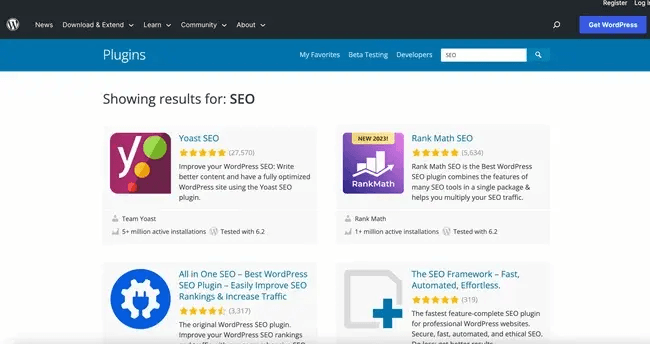
The clearest difference in a Squarespace vs WordPress SEO comparison is the plugin ecosystem. WordPress lets you add specialized tools for metadata, XML sitemaps, redirects, schema, image compression, broken-link checks, internal linking, caching, ecommerce feeds, and more.
For example, Yoast SEO offers real-time SEO guidance and schema features inside WordPress. You can select another SEO plugin if your workflow changes, rather than being limited to one platform’s native feature set.
That flexibility does not mean you should install dozens of plugins. Too many poorly maintained plugins can create security, speed, and compatibility issues, so an experienced SEO or developer should choose a small, reliable stack.
Content Structure
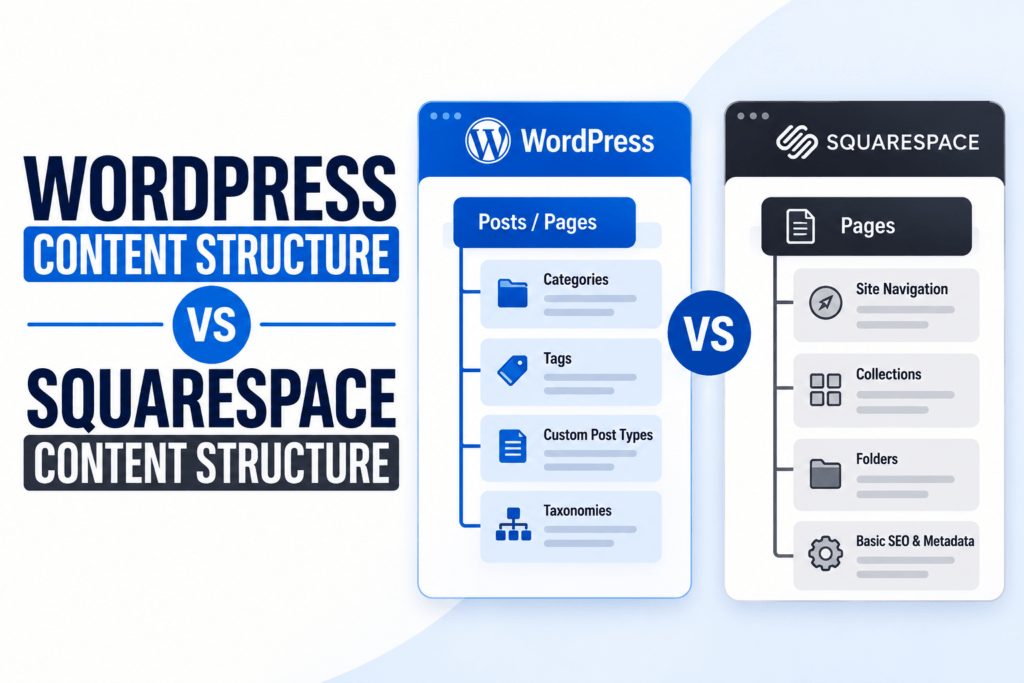
WordPress is usually the better option for companies with an aggressive blogging plan. You can create parent and child pages, blog categories, tags, custom post types, author pages, resource libraries, landing page templates, location pages, and product collections with greater control.
This is important for topical authority. If you are a law firm, home service company, B2B software provider, ecommerce store, or healthcare practice, you may need a structure that supports many service pages, educational guides, comparison pages, FAQs, and local landing pages.
Squarespace can support blogging SEO, but WordPress offers more room to scale a content operation without turning the site navigation and internal links into a mess. That is a major reason WordPress is often the best platform for SEO for businesses planning to publish consistently.
Technical SEO
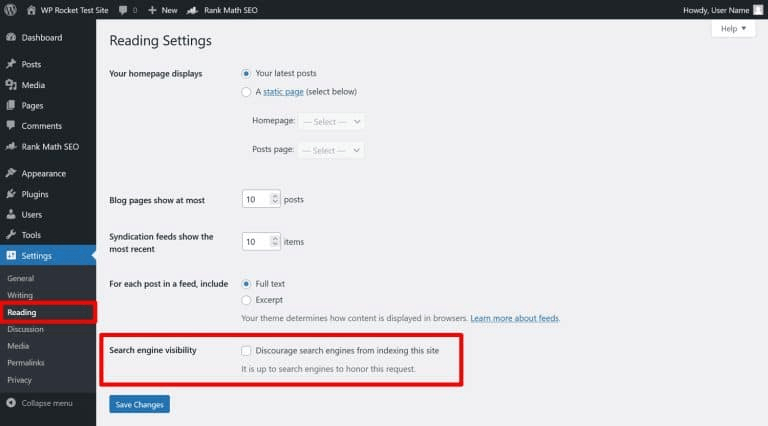
WordPress wins the WordPress vs Squarespace technical SEO comparison because it lets you control more of the underlying site setup. That includes hosting, caching, themes, page templates, schema, canonical handling, redirects, robots directives, XML sitemap behavior, and server-level performance decisions.
Squarespace handles many technical details automatically. This protects non-technical users from mistakes, but it also limits the options available when you need custom solutions.
Crawlability and Indexing
Squarespace automatically creates a sitemap and updates it as content changes. Its official guidance states that sitemap updates usually appear within an hour, though they can take up to 24 hours.
That convenience is valuable, but Squarespace users cannot edit the sitemap or a page’s source code. On WordPress, you can use an SEO plugin or custom development to shape sitemap behavior more precisely, which becomes useful on large, complex sites.
Google can process JavaScript, but JavaScript-heavy sites still require careful implementation because rendering and discovery can add complexity. This is not a reason to reject Squarespace automatically, but it is a reason to test key templates in Google Search Console before assuming everything is working perfectly.
Schema Markup
Squarespace automatically creates structured data for certain content types, including blog posts, events, products, local businesses, organizations, and websites. This gives small businesses a useful baseline without requiring technical SEO knowledge.
WordPress offers more schema flexibility. You can use a plugin, custom fields, page templates, or hand-coded JSON-LD to add and validate the markup that fits your exact business model.
That matters when you want structured data to reflect detailed service offerings, product variants, FAQs, job listings, videos, recipes, courses, or local entities. Remember that schema markup can help search engines understand a page, but it does not guarantee rich results or higher rankings.
Redirects and URL Changes
Both platforms can support URL redirects, which is essential during redesigns and migrations. However, WordPress gives more options for bulk redirects, regex rules, redirect monitoring, and advanced migration work.
This becomes critical if you are moving hundreds of pages from an old site, merging content, changing URL structures, or consolidating duplicate pages. A poor migration can cause traffic losses regardless of whether you move to Squarespace or WordPress.
Site Speed
Site speed affects user experience and can support SEO performance, but no CMS is automatically fast in every situation. Your templates, images, scripts, fonts, plugins, hosting, content, and third-party tools influence real-world performance.
Squarespace provides managed hosting and templates designed for its system. This reduces maintenance tasks and can make it easier for small teams to launch a stable site.
WordPress provides more performance control, but it also creates more responsibility. A well-configured WordPress site using quality hosting, a lightweight theme, image compression, caching, and limited plugins can perform extremely well.
The same problems occur on both platforms:
- Oversized images that are uploaded without compression or proper dimensions.
- Auto-playing videos, heavy animations, and unnecessary visual effects.
- Too many external scripts, such as chat widgets, tracking tools, review widgets, and pop-ups.
- Bloated page builders or themes on WordPress.
- Excessive plugins, unoptimized hosting, or missing caching on WordPress.
- Long pages that load many assets before a visitor reaches the important content.
The WordPress vs Squarespace site speed SEO question should not decide your CMS choice on its own. Instead, measure the actual site and optimize the biggest issues first.
Blogging
For a simple company blog, both platforms work. Squarespace makes it easy to publish clean, visually consistent posts, while WordPress makes it easier to run a serious editorial strategy.
WordPress is stronger for blogging SEO when you need detailed category structures, custom templates, editorial workflows, author profiles, content updates, content audits, internal-linking tools, and large archives. It also works better for businesses publishing dozens of articles each month.
Squarespace Vs WordPress: Which is Better for Small Business SEO
Squarespace is often a strong choice for small businesses that need a simple website, have a modest budget, and do not expect a large content program. It is a sensible solution for freelancers, artists, photographers, restaurants, consultants, personal brands, and local services with a manageable number of pages.
WordPress is often the better choice for a small business that wants to grow through search. That includes businesses targeting several cities, publishing frequent educational content, running lead-generation campaigns, selling many products, or competing against established companies in search results.
SEO Plugins
Squarespace does not use the same plugin model as WordPress. It has built-in SEO features and integrations, which keep the platform simpler but also limit specialized optimization options.
WordPress plugins can make complex SEO work more manageable. They can support technical audits, redirect management, schema output, metadata templates, sitemap rules, content optimization, image handling, and ecommerce feed management.
The key is restraint. A fast WordPress site is not the one with the most plugins, but the one with a carefully selected theme, reliable hosting, essential plugins, and regular maintenance.
Pricing
Squarespace is easier to budget for because hosting, security, SSL, templates, and core website tools are included in one subscription. Squarespace offers a 14-day trial, and annual billing can reduce the monthly equivalent cost.
WordPress.org software is free, but running a professional WordPress website is not free. You need to pay for web hosting, a domain name, premium plugins or themes where needed, ongoing maintenance, backups, security, and possibly developer support.
How To Choose The Right Between WordPress and Squarespace
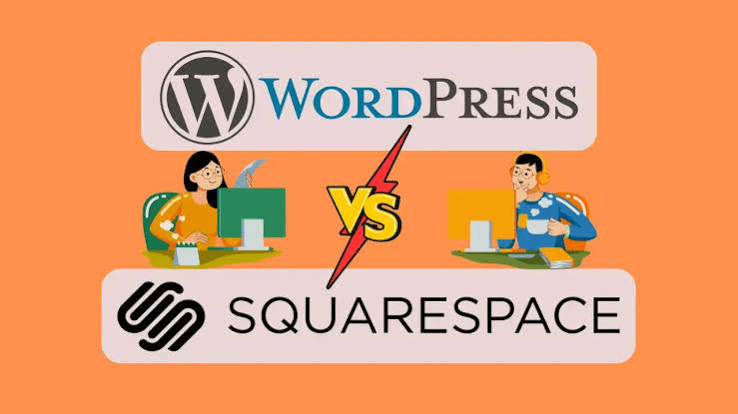
Choose Squarespace if these points describe your business:
- You need a professional website quickly.
- You value simple design and an all-in-one platform.
- You have a small site and a limited content plan.
- You do not have a developer or SEO specialist to manage ongoing technical work.
- You need solid SEO basics rather than advanced customization.
Choose WordPress if these points describe your business:
- SEO is a major source of leads, sales, or long-term growth.
- You want to publish content consistently and build topical authority.
- You need custom page templates, structured data, or advanced integrations.
- You operate in a competitive market or across multiple locations.
- You want more control over speed, hosting, technical SEO, and analytics.
- You expect the site to grow significantly over the next two to five years.
Get Expert Help Choosing The Right Platform between Squarespace and WordPress
The best platform for SEO, Squarespace or WordPress, is the one that matches your current resources while giving your business enough room to grow.
Squarespace is a capable, low-maintenance choice for simpler websites, while WordPress is usually the smarter long-term investment when organic visibility, content marketing, and technical control are central to your growth plan.



![How Much Does an SEO Expert Cost in 2026 [SEO Pricing]](https://seovisibility.co/wp-content/uploads/2026/01/how-much-does-an-seo-expert-cost.png)