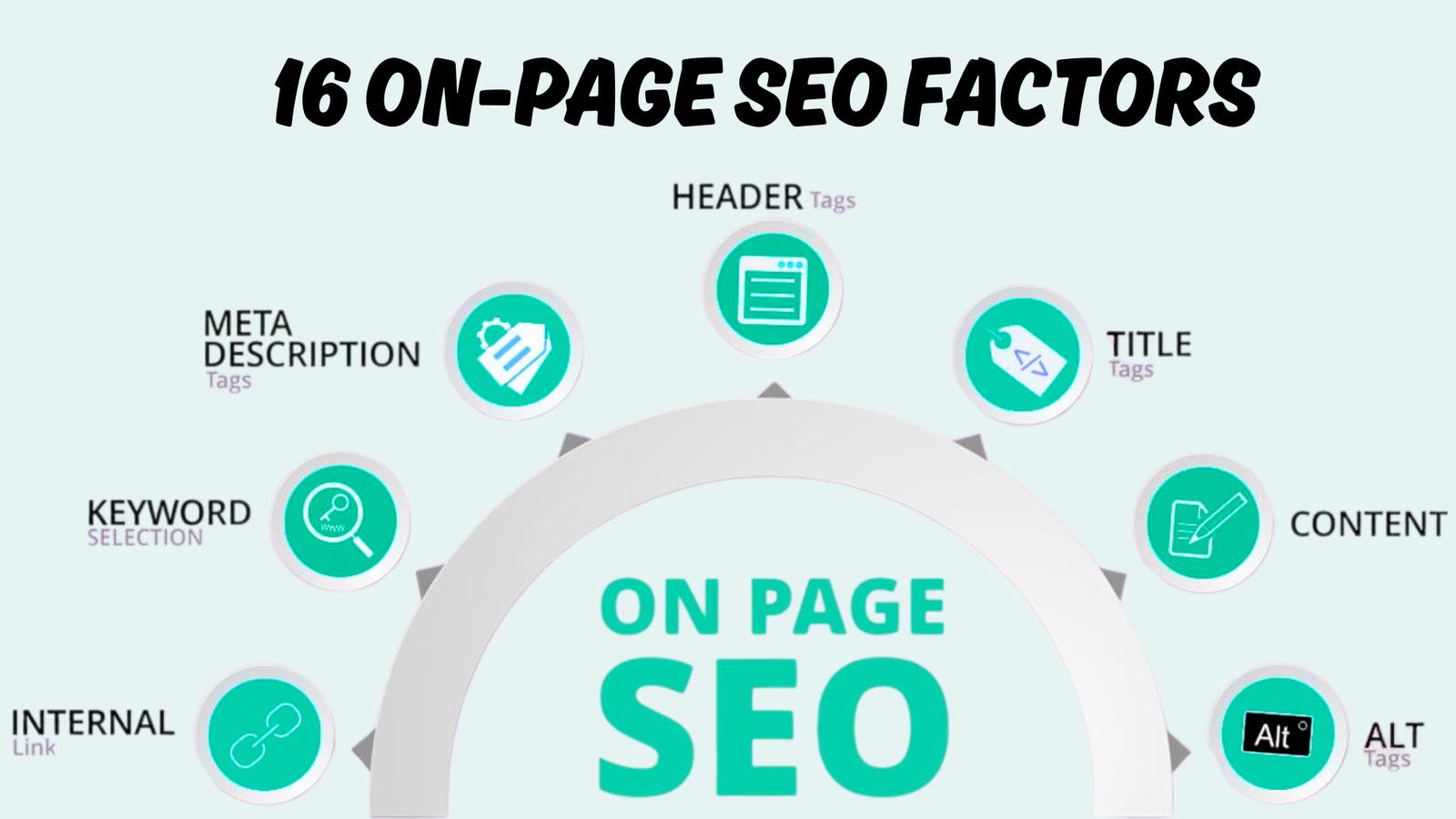

You already know what on-page SEO is. You don’t need another definition. What you need is a clear, honest answer: which on-page SEO factors actually help to rank higher in 2026?
That’s exactly what this guide covers.
After optimizing hundreds of pages across different industries and niches, I’ve narrowed down the 16 on-page SEO factors that consistently make a measurable difference in Google rankings right now. No fluff. No filler. Just what works.
Whether you’re running SEO for clients or your own website, this on-page SEO checklist gives you a reliable framework to audit, fix, and improve your pages.
Let’s get into it.
1. High-Quality Content.
Content quality is the single most important on-page SEO factor in 2026 — and it’s not even close.
Google’s systems are built to reward pages that fully satisfy a user’s query. Thin pages, surface-level answers, and keyword-filled paragraphs don’t cut it anymore. What works is content that demonstrates genuine knowledge, covers the topic in depth, and answers the questions your audience actually has.
A study analyzing over 1 million SERPs found that topical coverage — meaning how deeply and broadly a page covers related subtopics, entities, and questions — is the strongest on-page signal tied to higher rankings. Websites with strong topical relevance tend to rank 30–50% higher for long-tail searches compared to competitors with shallow content.
Here’s what high-quality content looks like in practice:
- Covers the full scope of the topic, not just the surface
- Includes real examples, data, or first-hand experience
- Answers follow-up questions a reader would naturally have
- Gets updated when the information becomes outdated
- Avoids repeating the same point in different words
If your content doesn’t genuinely help the person reading it, no amount of technical optimization will save it.
2. Search Intent Optimization
You can write the best content in the world, but if it doesn’t match what the searcher is looking for, it won’t rank.
Search intent is the reason behind every query. Google has gotten extremely good at understanding this. Its systems now analyze click patterns, dwell time, scroll behavior, and pogo-sticking to determine whether a page truly satisfies the user. Pages that mismatch intent don’t stay visible for long, regardless of how well they’re technically optimized.
There are four main types of intent that still apply in 2026:
- Informational — the user wants to learn something
- Navigational — the user wants to find a specific site or brand
- Commercial — the user is comparing options before deciding
- Transactional — the user is ready to buy or take action
Before you write or optimize any page, search your target keyword. Look at what Google is already ranking. If the top results are all how-to guides, don’t publish a product page. If Google shows comparison tables, create one. Match the format, depth, and angle of what’s already working — then do it better.
3. Title Tag Optimization
Your title tag is the first thing a searcher sees. It directly influences whether they click your link — and it’s a confirmed ranking signal.
A well-optimized title tag does three things: it includes your primary keyword, matches the search intent, and makes someone want to click. Getting all three right is what separates titles that rank and attract clicks from ones that just sit there.
Best practices for title tags in 2026:
- Keep it between 50–60 characters to avoid truncation
- Place your primary keyword near the beginning
- Make every title unique across your site — no duplicates
- Write for humans first, search engines second
- Use modifiers like “Guide,” “Tips,” “Checklist,” or the current year to capture long-tail traffic
- Ask yourself: “Would I click this?” If not, rewrite it.
One thing that hasn’t changed — keyword stuffing in titles still backfires. Focus on clarity and relevance, and let the click-through rate do the heavy lifting.
4. Heading Structure (H1–H6)
Headings organize your content for both readers and search engines. A clear heading structure helps Google understand what your page covers, section by section. It also makes your content easier to scan, which directly affects how long people stay on the page.
In 2026, headings serve an even bigger role. AI-powered search systems — including Google’s AI Overviews — use heading structure to parse pages and extract answers. When your headings clearly label each section of content, your page becomes easier for these systems to reference and cite.
Here’s how to use headings properly:
- Use one H1 per page that reflects the main topic and includes your primary keyword
- Use H2s for major sections and H3s for subsections within them
- Follow a logical hierarchy — don’t jump from H2 to H4
- Write descriptive headings that tell the reader what the section covers (skip vague labels like “More Info”)
- Include related keywords in subheadings naturally, without forcing them
Google has clarified that strict heading order isn’t a critical ranking factor on its own. But proper heading structure improves accessibility, user experience, and how search systems interpret your content — all of which matter.
5. Keyword Placement
Where you place your keywords matters just as much as how many times you use them.
Google pays close attention to terms that appear early on a page. Including your primary keyword in the first 100 words, in the title, in at least one H2, and in the meta description sends a clear signal about what the page is about. Secondary keywords should appear naturally in the body and subheadings without being forced.
A practical keyword placement checklist:
- Primary keyword in the title tag
- Primary keyword in the H1
- Primary keyword within the first 100 words
- Primary keyword in at least one H2
- Primary keyword in the URL slug
- Primary keyword in the meta description
- Primary keyword in at least one image alt text
- Secondary keywords spread naturally throughout the body
The key here is natural integration. If a keyword feels awkward in a sentence, rephrase it. Google’s systems understand synonyms and semantic variations. You don’t need to repeat the exact phrase 20 times. That approach died years ago.
6. URL Structure
Your URL is a small but consistent ranking signal. A clean, descriptive URL helps both users and search engines understand what a page is about before they even visit it.
Keep your URLs short, readable, and keyword-relevant. Avoid long strings of numbers, random parameters, or unnecessary words. Pages with concise URL slugs of 3–5 words tend to perform slightly better across SERPs.
URL structure best practices:
- Include your primary keyword in the slug
- Use hyphens to separate words (not underscores)
- Keep URLs lowercase to avoid duplicate content issues
- Remove stop words like “the,” “and,” “of” when possible
- Maintain a logical folder hierarchy (e.g., /blog/seo-tips/)
- Avoid including dates unless the content is news or time-specific
A clean URL also improves the chances of someone actually sharing your link. If the URL looks trustworthy, people are more likely to click it in search results.
7. User Experience (UX)
Google has made it clear — pages that provide a good user experience get an edge in rankings. This isn’t about aesthetics alone. UX in SEO terms means your page is easy to read, simple to navigate, and doesn’t frustrate users.
Bounce rates, dwell time, and pogo-sticking (when a user clicks your result, immediately goes back, and clicks another) are all behavioral signals that Google can factor into how it evaluates your page. If people don’t stick around, that tells Google your page didn’t satisfy them.
Practical on-page UX improvements:
- Use short paragraphs (2–4 sentences max)
- Break up long sections with subheadings and visuals
- Use a clean, distraction-free layout
- Add a table of contents for longer articles
- Make CTAs and navigation elements easy to find
- Avoid intrusive pop-ups, especially on mobile
Good UX keeps visitors engaged. Engaged visitors send positive signals. Positive signals help you rank. It’s a straightforward cycle.
8. Mobile-First Optimization
Google uses the mobile version of your website as the primary basis for indexing and ranking. That’s been the standard for years, and it’s non-negotiable in 2026.
With over 75% of web traffic now coming from mobile devices, your mobile experience has to be just as complete and functional as your desktop version. If content, images, or internal links are missing on mobile, your rankings will suffer.
Research from leading SEO platforms shows that mobile-optimized websites see an average ranking improvement of 15–25% compared to their non-optimized counterparts.
Your mobile optimization checklist:
- Use responsive design that adapts to all screen sizes
- Ensure full content parity between desktop and mobile (same text, images, and links)
- Make buttons and interactive elements touch-friendly
- Keep fonts readable without zooming
- Load pages within 2.5 seconds on mobile connections
- Test using Google’s Mobile-Friendly Test and PageSpeed Insights
- Keep structured data (schema markup) consistent across both versions
Mobile-first isn’t a “nice to have.” It’s a baseline requirement.
9. Page Speed (Core Web Vitals)
Page speed is a confirmed Google ranking signal — and in 2026, it’s measured through three Core Web Vitals metrics:
| Metric | What It Measures | Good Score |
|---|---|---|
| LCP (Largest Contentful Paint) | How fast main content loads | ≤ 2.5 seconds |
| INP (Interaction to Next Paint) | How quickly the page responds to user actions | ≤ 200 milliseconds |
| CLS (Cumulative Layout Shift) | How stable the page layout is during loading | ≤ 0.1 |
INP replaced First Input Delay (FID) in March 2024 and is now the toughest metric to pass — 43% of websites still fail it. If your site feels sluggish when someone clicks a button or fills a form, INP is likely the culprit.
While Core Web Vitals work more as a tiebreaker between pages with similar content quality, the indirect impact is significant. Faster pages have lower bounce rates, longer sessions, and higher engagement — all of which reinforce ranking signals.
Quick tips to improve page speed:
- Compress and convert images to WebP or AVIF format
- Minimize render-blocking CSS and JavaScript
- Use a content delivery network (CDN)
- Enable browser caching
- Preload your largest contentful element (usually a hero image)
- Reduce third-party scripts to 5 or fewer
Studies show that every one-second delay in page load time can reduce conversions by 7%. Speed isn’t just an SEO factor — it’s a revenue factor.
10. Internal Linking
Internal links are one of the highest-impact on-page SEO optimization tactics available, and they’re completely within your control.
They do three things: distribute link equity (PageRank) across your site, help Google discover and understand your pages, and guide users toward related content. A strong internal linking structure turns a collection of pages into a connected content ecosystem.
How to build an effective internal linking strategy:
- Link contextually within the body of your content (not just in headers, footers, or sidebars)
- Use descriptive, natural anchor text — skip generic phrases like “click here” or “read more”
- Keep your most important pages within 3 clicks of the homepage
- Add 5–10 internal links per 2,000 words of content
- Link from high-authority pages to newer or weaker pages to pass ranking strength
- Fix orphan pages (pages with no internal links pointing to them)
- Audit your internal links regularly as your site grows
Interlinked topic clusters — where a pillar page links to supporting articles and vice versa — also boost your chances of showing up in AI-generated search results. Google and AI systems treat well-connected content as a sign of authority and depth.
11. Image Optimization
Images make your content more engaging, but unoptimized images can tank your page speed and hurt your rankings.
Image optimization in 2026 goes beyond just compressing file sizes. It includes choosing the right format, implementing responsive images, and using lazy loading to reduce unnecessary payloads.
Here’s a practical image optimization checklist:
- Compress all images before uploading
- Use modern formats like WebP or AVIF (AVIF offers roughly 50% smaller files than JPEG with no noticeable quality loss)
- Add descriptive, keyword-relevant file names (e.g., on-page-seo-checklist.webp instead of IMG_4821.jpg)
- Use the srcset attribute for responsive images across different screen sizes
- Implement native lazy loading (loading=”lazy”) for images below the fold
- Set explicit width and height attributes to prevent layout shifts (improves CLS)
- Keep hero images under 200 KB for fast LCP scores
One real-world case study showed that switching from JPEG to AVIF reduced average load times from 3.5 seconds to 1.7 seconds, increased session duration by 30%, and improved organic rankings by 20% within three months.
12. Image Alt Text
Alt text tells search engines what an image shows and makes your content accessible to users with screen readers. It’s a simple on-page SEO factor that many sites still get wrong.
Well-written alt text improves image indexing, increases visibility in Google Image Search, and reinforces the topical relevance of the page. In 2026, accessibility has become a quality signal — sites that support inclusive browsing tend to perform better in search.
Best practices for writing alt text:
- Describe the image clearly and accurately
- Keep it concise — aim for 125 characters or fewer
- Include a relevant keyword only when it fits the image context naturally
- Don’t start with “image of” or “picture of” — it’s already assumed
- Leave decorative images with an empty alt attribute (alt=””)
- Avoid using the same alt text across multiple images
- Never use alt text as a place for promotional copy or keyword stuffing
Think of alt text as a brief description you’d give to someone who can’t see the image. That mindset keeps it natural and useful.
13. Meta Descriptions
Meta descriptions aren’t a direct ranking factor. But they have a direct impact on your click-through rate (CTR) — and a higher CTR sends a positive signal to Google about your page’s relevance.
When your target keyword appears in the meta description, Google often bolds it in the search results. That visual emphasis draws the eye and tells the searcher, “This page has what you’re looking for.”
However, Google rewrites meta descriptions 60–70% of the time. That doesn’t mean you should skip them. When Google does use your description, a well-crafted one can increase CTR by up to 5.8%.
How to write effective meta descriptions:
- Keep it between 150–155 characters
- Include your primary keyword naturally
- Summarize the page’s value — what will the reader get?
- Add a clear call-to-action or benefit statement
- Match the tone and intent of the search query
- Make each meta description unique across your site
If your page ranks in positions 3–10 but has a noticeably low CTR, the meta description is often the first thing to fix.
14. External Linking
Linking out to authoritative, relevant sources won’t drain your rankings. In fact, it does the opposite.
External links help search engine crawlers understand the context and topic of your page. When you reference credible sources — industry publications, research studies, official documentation — it supports your content’s trustworthiness. This directly aligns with Google’s E-E-A-T guidelines (Experience, Expertise, Authoritativeness, Trustworthiness).
A study by Reboot confirmed that relevant outbound links to authoritative sources have a positive impact on rankings. Additionally, content with proper external citations is more likely to be referenced in AI Overviews and AI-generated search answers.
Smart external linking practices:
- Link only to reputable, authoritative sources
- Keep external links relevant to the content being discussed
- Use natural, descriptive anchor text
- Open external links in a new tab to keep users on your page
- Check external links regularly — broken links signal neglect
- Don’t overdo it — a few high-quality outbound links per page is enough
- Use nofollow for sponsored or untrusted links
Think of outbound links as references in a research paper. They add credibility to your argument.
15. Canonical Tags
If your website has pages with similar or duplicate content accessible through different URLs, canonical tags are essential. They tell Google which version of a page is the “main” one that should be indexed and ranked.
This is especially common on eCommerce sites (where product filters create multiple URLs), content that’s syndicated across platforms, and sites with both www and non-www versions of pages.
Without canonical tags, Google has to guess which page to rank. That guessing often leads to split ranking signals, wasted crawl budget, and diluted link equity.
What canonical tags do:
- Prevent duplicate content confusion
- Consolidate PageRank from duplicate URLs into one preferred page
- Improve crawl efficiency by directing Googlebot to the pages that matter
- Ensure syndicated content points back to your original source
To implement, add this to the section of duplicate or secondary pages:
<link rel=”canonical” href=”https://www.example.com/preferred-page/” />
Audit your site regularly for canonical tag issues. Misconfigured canonicals can silently hurt your rankings without any visible warning.
16. XML Sitemap
An XML sitemap acts as a roadmap for search engines. It lists all the important pages on your website and helps Google discover, crawl, and index them efficiently.
Let’s be clear: XML sitemaps are not a direct ranking factor. Google’s Gary Illyes has confirmed that there’s no ranking disadvantage to not having one. However, the indexing benefits are real and significant — especially for large sites, new websites with few backlinks, or sites with complex navigation.
When an XML sitemap helps most:
- Sites with thousands of pages
- Newly launched websites that haven’t built backlink profiles yet
- Websites that publish content frequently
- Sites with pages buried deep in the architecture that lack strong internal links
- eCommerce stores with dynamically generated product pages
Best practices:
- Keep your sitemap accurate and up to date
- Submit it through Google Search Console
- Exclude no-indexed pages, redirects, and low-value URLs
- Use a dynamic sitemap that automatically updates when you add or change content
- Monitor indexation status in Search Console to catch crawling issues early
An XML sitemap won’t boost your rankings overnight, but it makes sure Google can find every page that deserves to be indexed.
Important On-Page SEO Factors by Ranking Impact and Priority
| On-Page Factor | Ranking Impact | Priority Level | Effort to Implement |
|---|---|---|---|
| High-Quality Content | Very High (Direct) | Critical | High |
| Search Intent Optimization | Very High (Direct) | Critical | Medium |
| Title Tag Optimization | High (Direct) | High | Low |
| Heading Structure (H1–H6) | Medium (Direct) | High | Low |
| Keyword Placement | High (Direct) | High | Low |
| URL Structure | Low–Medium (Direct) | HighMedium | Low |
| User Experience (UX | High (Indirect) | High | Medium–High |
| Mobile-First Optimization | High (Direct) | Critical | Medium |
| Page Speed (Core Web Vitals) | Medium–High (Tiebreaker) | High | Medium–High |
| Internal Linking | High (Direct) | High | Medium |
| Image Optimization | Medium (Indirect) | Medium | Medium |
| Image Alt Text | Low–Medium (Direct) | Medium | Low |
| Meta Descriptions | Indirect (CTR Impact) | Medium | Low |
| External Linking | Low–Medium (Indirect) | Medium | Low |
| Canonical Tags | Preventive (Technical) | High for applicable sites | Low |
| XML Sitemap | No Direct Impact (Indexing) | Medium | Low |
Start Ranking Higher with the Right On-Page SEO Optimization
If you’ve read this far, you now have a clear, actionable on-page SEO checklist — built around what actually works in 2026, not recycled advice from five years ago.
The 16 on-page SEO factors listed above aren’t theoretical. They’re the exact factors that consistently move pages from invisible to ranking — when applied correctly and consistently.
Need expert help getting your on-page SEO done right? At SEO Visibility, Khalid Hussain is a freelance SEO expert and top-rated SEO partner with 15+ years of experience who has helped 999+ businesses, agencies, and eCommerce stores grow their organic visibility.