
If you are searching for why is your website not ranking on Google? In most cases, it is not one big problem. It is a combination of small, fixable issues that stack up and hold your site back. And once you know what those issues are, you can start fixing them one by one.
This guide breaks down the 9 most common reasons your website is not showing up on Google, with clear fixes you can act on right away.
No Clear SEO Strategy
This is the root cause behind most ranking failures. Many website owners skip the SEO strategy stage and jump straight into publishing content or building pages without a roadmap.
An SEO strategy is not just about picking a few keywords. It is about understanding who your audience is, what they are searching for, and how your content fits into their journey. Without a strategy, you end up targeting random keywords, creating disconnected content, and wasting time on things that do not move the needle.
Here is what a basic SEO strategy should include:
- A list of 10 to 20 target keywords based on search volume, competition, and intent.
- One primary keyword assigned to each page on your site.
- A content plan that connects those keywords to blog posts, service pages, or landing pages.
- Monthly goals for content publishing, link building, and tracking progress.
- A clear understanding of whether each keyword is informational, transactional, or navigational.
Without this foundation, everything else becomes guesswork. You might rank for a few random terms by luck, but you will never build consistent, long-term visibility. The businesses that win in search are the ones that treat SEO as an ongoing process, not a one-time task.
How to fix it:
- Map out your goals.
- Identify what keywords your audience actually searches.
- Decide what pages you need to target those keywords.
- List what content gaps exist on your current site.
- Start with your core service or product pages and build a keyword
- Create a 90‑day action plan based on those pages and keywords.
Un-Optimized Website Structure
Website structure refers to how your pages are organized, connected, and accessible. A well-structured site makes it easy for Google’s crawlers to find and index your pages. A poorly structured site buries important pages deep inside layers of navigation where neither users nor search engines can reach them easily.
There are a few common structural models. A flat architecture keeps most pages within two to four clicks of the homepage, which helps both crawlers and users find content faster. A silo structure groups related content into themed categories, which builds topical authority and helps Google understand what your site is about. The best approach for most websites is a hybrid of both — organized categories with shallow navigation depth.
Signs your website structure needs work:
- Important pages are buried five or more clicks deep from the homepage.
- Your URL structure is inconsistent or overly long.
- You have orphan pages that no other page links to.
- Your navigation menu does not clearly reflect your main topics or services.
- Google Search Console shows pages that are “crawled but not indexed.”
How to fix it:
- Map out your entire site visually.
- Make sure every important page is reachable within three clicks from the homepage.
- Group related content into clear categories.
- Use breadcrumbs for easier navigation.
- Make sure your XML sitemap is up to date and submitted to Google Search Console.
Thin or Low Value Content
Google’s Helpful Content system, which is now built directly into the core ranking algorithm, evaluates entire websites for content quality. If your site has a lot of pages with shallow, generic, or unhelpful content, it can drag down your rankings across the board — even on your good pages.
Thin content is not just about word count. Google defines it as content with “little or no added value”. This includes:
- Pages that repeat what every other result on page one already says without adding a fresh perspective.
- Content that was clearly written for search engines rather than real people.
- Duplicate content across multiple pages on your site.
- Auto-generated or AI-produced content published without meaningful human editing or original insights.
- Pages with no depth — they skim the surface without answering the reader’s actual question.
Google’s algorithm in 2026 prioritizes what it calls “information gain”. That means if your article just summarizes what is already ranking, you are not going to outrank those existing results. Your content needs to bring something new — a real-world example, original data, a unique take, or deeper detail that competitors miss.
How to fix it:
- Audit your existing content.
- Use tools like Screaming Frog (free for up to 500 URLs) to identify thin pages.
- For each thin page, decide whether to improve it, merge it with a related page, or remove it entirely.
- Going forward, focus on creating fewer but better pieces that genuinely help your target audience.
- Add author bios, cite credible sources, and include first-hand experience wherever possible to strengthen your E‑E‑A‑T signals.
Slow Website Speed
Speed is not optional anymore. It directly affects your rankings and your revenue. Research shows that websites loading in one second see conversion rates three times higher than sites loading in five seconds. And 63% of visitors leave a page entirely if it takes more than four seconds to load.
Google uses Core Web Vitals — a set of three performance metrics — as a ranking signal.
These are:
- Largest Contentful Paint (LCP): How quickly the main content on your page loads. Aim for under 2.5 seconds.
- Interaction to Next Paint (INP): How fast your page responds when someone clicks or taps. Lower is better.
- Cumulative Layout Shift (CLS): Whether elements on the page jump around while loading. Keep this below 0.1.
Pages ranking at position one on Google are 10% more likely to pass Core Web Vitals thresholds compared to pages at position nine. While speed alone will not rocket you to the top, it acts as a tiebreaker. When your content quality matches a competitor, the faster site wins.
Common causes of slow websites include oversized images, too many plugins, poor hosting, uncompressed code, and no browser caching.
How to fix it:
- Run your site through Google PageSpeed Insights and check your Core Web Vitals report in Google Search Console.
- Compress and convert images to modern formats like WebP.
- Remove unnecessary plugins.
- Use a content delivery network (CDN).
- Enable browser caching.
Poor Mobile Optimization
Google uses mobile-first indexing, which means it looks at the mobile version of your website first when deciding how to rank it. If your mobile experience is weak, your entire site suffers in search — even for desktop searches.
With 58% of all Google searches now coming from smartphones, a site that looks great on desktop but breaks on mobile is losing more than half its potential audience. And it is not just about looks. 61% of users are more likely to buy from a mobile-friendly site, and 76% of people who search on their phone visit a business within a day.
Common mobile issues that hurt rankings:
- Text that is too small to read without zooming in.
- Buttons and links placed too close together, making them hard to tap.
- Content that does not fit the screen and requires horizontal scrolling.
- Pop-ups and interstitials that cover the screen on mobile devices.
- Slow load times specifically on mobile networks.
- Missing or inconsistent content between desktop and mobile versions.
How to fix it:
- Use responsive design so your site adapts automatically to every screen size.
- Run the Google Mobile-Friendly Test to spot specific problems.
- Make sure your mobile version has the same content, structured data, and internal links as your desktop version.
- Test your site on actual phones, not just browser emulators.
- Pay special attention to tap target sizes, font readability, and load speed on mobile connections.
Weak Internal Linking
Internal links are one of the most underused SEO tools available. These are the links that connect one page on your site to another. They help Google understand what your pages are about, which ones are most important, and how your content topics relate to each other.
Without a solid internal linking, some of your best pages may sit as orphans — pages that no other page links to. Google may not even find them, let alone rank them. On the other hand, sites with strong internal linking structures see up to a 90% indexation rate in Google Search Console.
Good internal linking does three things:
- Spreads authority: When one page earns backlinks, internal links pass some of that authority to other pages on your site.
- Builds topic clusters: Linking related pages together creates a web of content around a core topic, which signals topical authority to Google.
- Improves user experience: Visitors can naturally move from one relevant page to another, which keeps them on your site longer and reduces bounce rate.
How to fix it:
- Start by identifying your top-performing pages in Google Search Console.
- Add contextual internal links from those pages to other related but lower-ranking pages.
- Use descriptive anchor text that matches the topic of the destination page.
- Avoid generic anchor text like “click here.”
- Make internal linking a habit — every new page you publish should link to at least two or three existing pages.
- Add internal links from existing relevant pages back to the new page.
Missing On-Page SEO
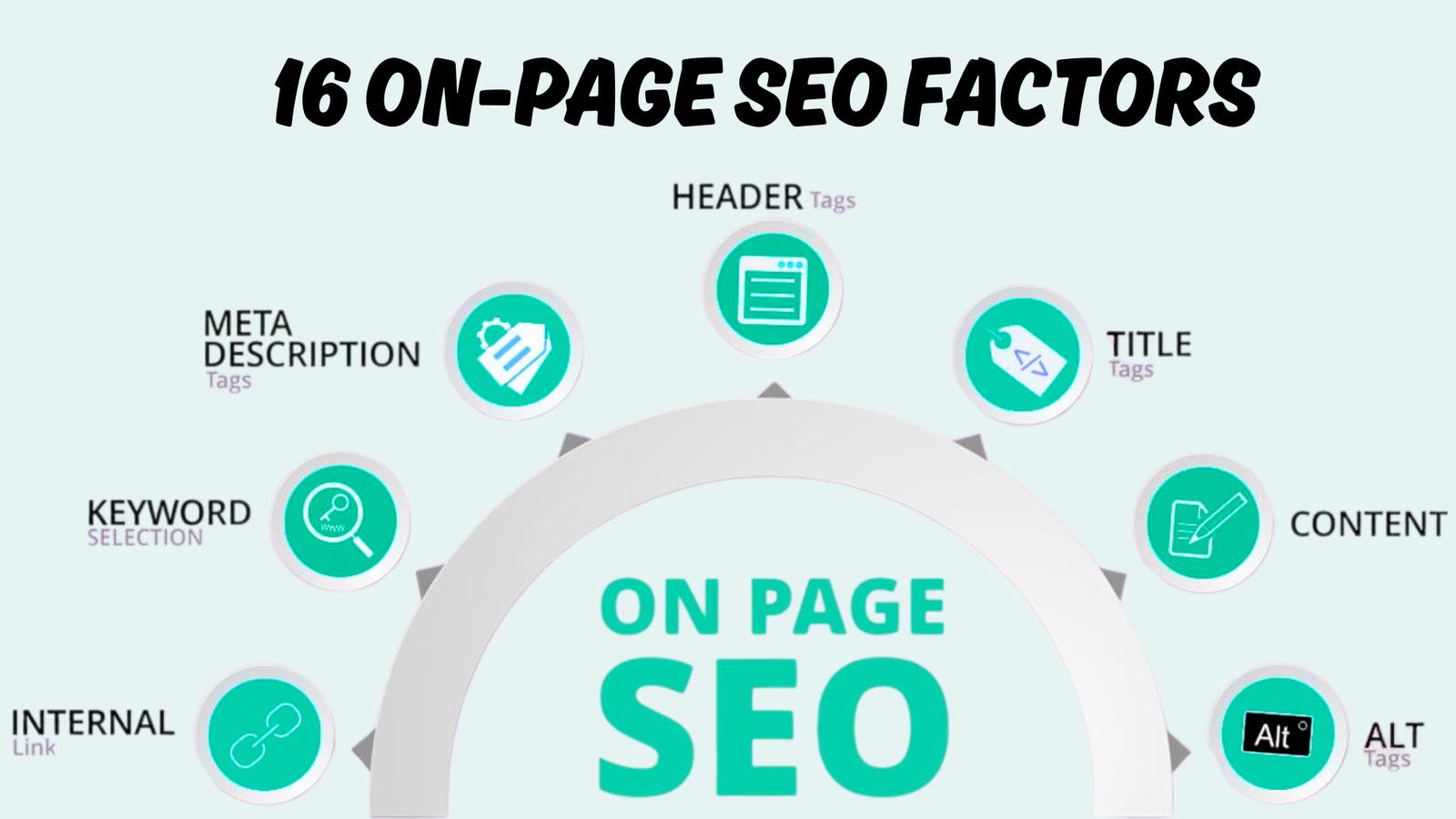
On-page SEO is the set of optimizations you control directly on each page of your website. If these elements are missing or poorly done, Google has a harder time understanding what your page is about, which means lower rankings.
The core on-page elements that matter most include:
- Title tags: This is the clickable headline in search results. Include your primary keyword naturally and keep it under 60 characters.
- Meta descriptions: These do not directly affect rankings, but they influence click-through rates. A clear, benefit-driven description turns search impressions into actual clicks.
- Header structure (H1, H2, H3): Use one clear H1 per page that describes the main topic. Break content into sections with H2s and H3s that reflect real questions users have.
- URL structure: Keep URLs short, descriptive, and readable. Avoid long strings of numbers or random characters.
- Image optimization: Use descriptive alt text on every image and compress file sizes to avoid slowing down your page.
- Keyword placement: Include your target keyword in the title, first 100 words, at least one subheading, and naturally throughout the content. Do not stuff keywords — Google is smart enough to penalize that.
A surprising number of websites get basic on-page SEO wrong. Over 51% of websites have multiple H1 tags on a single page, which dilutes the main topic signal.
How to fix it:
- Go through each important page on your site and check every element listed above.
- Use a tool like Yoast SEO for WordPress to catch common mistakes.
- Fix one page at a time, starting with your highest-priority pages.
- After making changes, use the URL Inspection tool in Google Search Console to request re-crawling.
Low Quality Backlinks
Backlinks remain one of Google’s strongest ranking signals. They act as votes of confidence from other websites. But not all backlinks are equal. A handful of links from relevant, authoritative sites is worth far more than hundreds of links from low-quality or spammy sources.
The spam or low quality backlinks can actually hurt your ranking. Google’s Link Spam Update uses machine learning to detect unnatural link patterns. Tactics that can get you in trouble include:
- Buying links or participating in link schemes.
- Getting links from Private Blog Networks (PBNs) or link farms.
- Having a sudden, unnatural spike in new backlinks over a short period.
- Overusing exact-match anchor text across multiple linking domains.
- Getting links from websites that have nothing to do with your industry.
When Google detects these patterns, it can either devalue the links (so they count for nothing) or, in severe cases, issue a manual penalty that tanks your entire site’s visibility.
How to fix it: Run a backlink audit using tools like Ahrefs, Semrush, or even the free Links report in Google Search Console. Identify and disavow toxic or irrelevant links through Google’s Disavow Tool.
Then shift your focus to earning quality backlinks through strategies that actually work in 2026 — creating link-worthy content, building relationships with industry publications, guest posting on relevant sites, and getting cited in roundups or resource pages.
No SEO Tracking
Here is a hard truth: if you are not tracking your SEO performance, you are flying blind. You cannot fix what you do not measure. Many website owners invest in SEO but never set up proper tracking, which means they have no idea what is working, what is failing, or where to focus their efforts next.
At a minimum, every website should have these two free tools set up:
- Google Search Console: This shows which keywords bring impressions and clicks to your site, which pages perform best, your average ranking position, indexing issues, Core Web Vitals scores, and mobile usability problems. It is the single most important SEO tool available, and it is free.
- Google Analytics: This tracks what users do after they land on your site — which pages they visit, how long they stay, where they come from, and whether they convert.
The key metrics to review monthly include:
- Organic traffic trends (are they going up or down?)
- Click-through rate by page (are people actually clicking your search results?)
- Average position for target keywords (are rankings improving?)
- Pages that are indexed versus pages that are not.
- Core Web Vitals pass/fail status.
How to fix it: If you have not already, set up Google Search Console and Google Analytics today. Verify your website, submit your sitemap, and start reviewing data at least once a month.
Create a simple tracking spreadsheet where you log monthly clicks, impressions, top keywords, and any issues flagged. Without this data, every SEO decision you make is just a guess.
Start Fixing The SEO Issues To Improve Your Website Ranking On Google.
Start with your website’s technical structure (internal linking, speed, mobile), then move to content and on-page optimization, and finally build authority through quality backlinks and consistent tracking.
At SEO Visibility, Khalid Hussain is a freelance SEO expert with 15+ years of experience who has helped 999+ businesses, agencies, and eCommerce stores grow their organic visibility.
If your website is not ranking on Google and you are unsure where to start, or if you have tried fixing things on your own without results, that is where working with an experienced SEO professional makes a real difference.