
Finding the right keywords can make or break your SEO strategy. But with so many options, it’s easy to waste time—and money—on a tool that doesn’t fit your workflow.
So here’s the short answer: the best keyword research tool depends on your goals. If you need enterprise-level data, Ahrefs and Semrush lead the pack. If you’re on a budget, Google Keyword Planner and Ubersuggest have you covered. And if you’re focused on content ideas, AnswerThePublic is hard to beat.
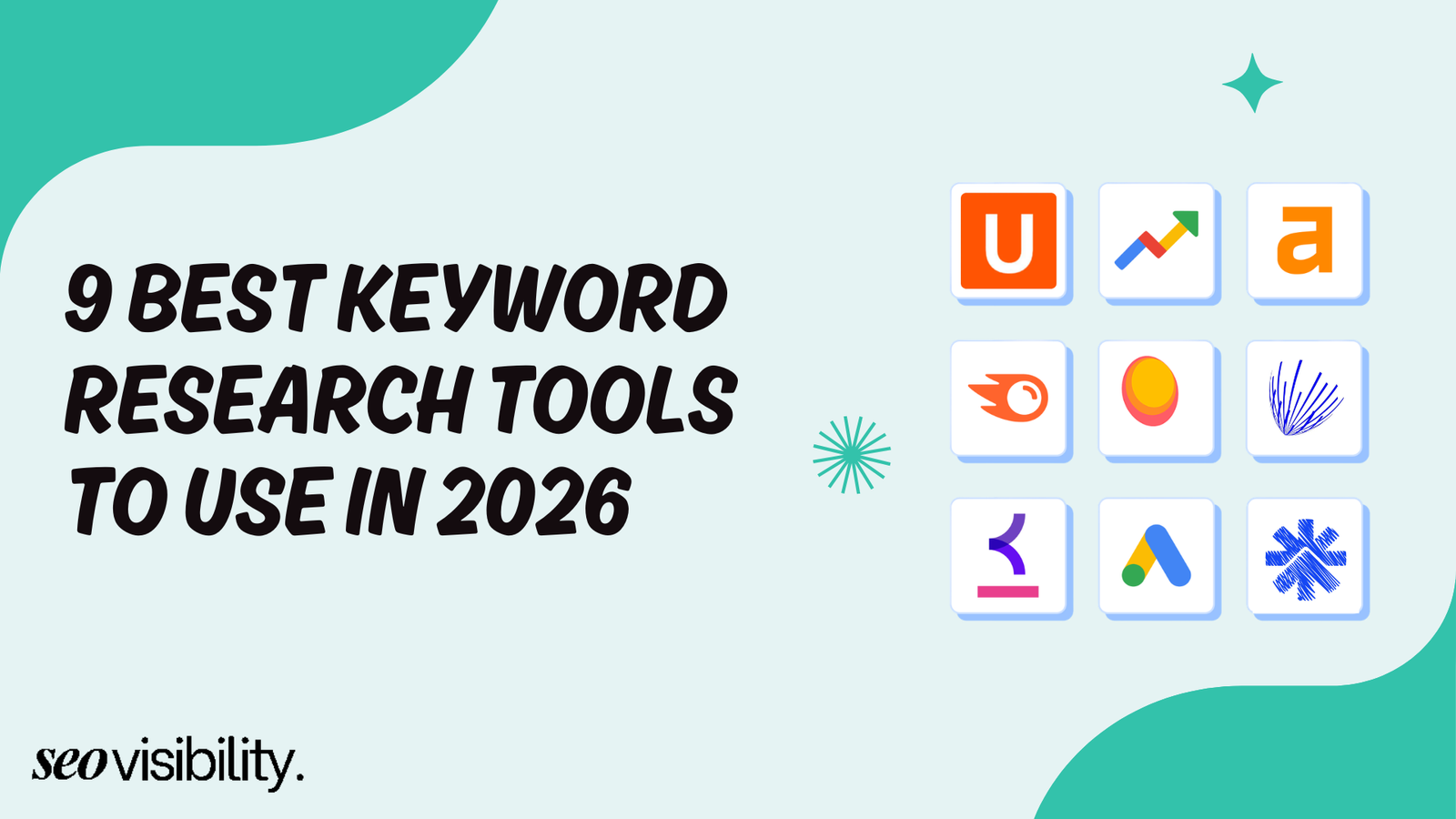
In this guide, we break down the 9 best keyword research tools in 2026 — what they do well, where they fall short, and who they’re best suited for. Whether you’re an SEO professional, a content marketer, a PPC specialist, or a small business owner, there’s a tool on this list built for you.
In this guide, we break down the 9 best keyword research tools in 2026. We cover what each tool does well, where they fall short, and who they are best for. Whether you are an SEO professional, a content marketer, a PPC specialist, or a small business owner, you will find a tool on this list that suits your needs.
1. Ahrefs Keywords Explorer
Best for: SEO agencies, experienced SEO professionals, and enterprise teams.
When it comes to raw keyword data at scale, Ahrefs Keywords Explorer is at the very top. It gives you access to a database of over 28.7 billion keywords pulled from 217 locations worldwide — making it one of the most comprehensive SEO keyword research tools available in 2026.
What makes it stand out is the quality of metrics it provides. You get search volume, keyword difficulty, traffic potential, CPC, click-through rates, and even parent topic data. The traffic potential metric is especially useful — it tells you how much organic traffic you could realistically get if you ranked #1 for a topic, not just the keyword.
Ahrefs also has a powerful AI-driven keyword clustering feature that groups keywords by parent topic instantly — a task that would normally take hours when done manually. You can also compare SERPs side-by-side to spot changes in search intent over time, and use the content gap feature to find keywords your competitors rank for but you don’t.
Pricing
Ahrefs follows a subscription model, and Keywords Explorer is included in every plan
| Plan | Monthly Price | Annual Price | Tracked Keywords |
|---|---|---|---|
| Starter | $29/month | N/A | Limited |
| Lite | $129/month | $108/month | 750 |
| Standard | $249/month | $208/month | 2000 |
| Advanced | $449/month | $374/month | 5,000 |
| Enterprise | $1,499/month | Custom | Custom |
Pros:
- Massive keyword database with 28.7 billion+ keywords
- Accurate search volume and keyword difficulty metrics
- Instant AI keyword clustering
- The traffic potential metric gives a realistic view of ranking rewards
- Covers 217 countries for global SEO research
Cons:
- No true free plan; Starter plan has heavy limitations
- The usage credit system on lower plans can feel restrictive
- Expensive compared to most alternatives
- Steeper learning curve for beginners
Who should use it: If you’re running an SEO agency, managing multiple client campaigns, or doing deep competitive research, Ahrefs is hard to replace. It’s a serious investment, but for professionals who rely on accurate data daily, it more than pays for itself.
2. Semrush Keyword Magic Tool
Best for: Full-suite SEO teams, PPC specialists, content marketers, and digital marketing agencies
Semrush is widely considered the #1 keyword research tool on the market in 2026, and its Keyword Magic Tool is the engine behind that reputation. Enter any seed keyword, and the tool generates an exhaustive list of related queries — broad match, phrase match, exact match — sorted by search volume, keyword difficulty, CPC, and search intent.
What sets the Keyword Magic Tool apart is its depth. You can filter by intent (informational, navigational, commercial, transactional), find question-based keywords, identify seasonal trends, and even get a personalized keyword difficulty score based on your specific domain. That last feature is a big deal — it tells you how hard it would be for your site to rank, not just any site.
Semrush also includes a 14-day free trial, and its free plan allows up to 10 queries per day — more generous than most competitors.
Pricing
| Plan | Monthly | Annual |
|---|---|---|
| Pro | $139.95/month | $117.33/month |
| Guru | $249.95/month | $208.33/month |
| Business | $499.95/month | $416.66/month |
Pros:
- One of the largest keyword databases available
- Keyword intent filtering and trend analysis built in
- 14-day free trial for new users
- Covers keyword research, competitor analysis, site audit, and rank tracking in one platform
- Personalized keyword difficulty score per domain
Cons:
- Expensive compared to single-purpose tools
- Overwhelming for beginners — steep learning curve
- Pro plan limited to 500 tracked keywords and 5 projects
- No historical data on the entry-level Pro plan
Who should use it: Semrush is the go-to keyword research tool for marketers who want everything under one roof. It’s especially valuable for agencies managing multiple clients and SEO professionals who need both SEO and PPC data in one workspace.
3. Answer The Public
Best for: Content marketers, bloggers, and agencies building content strategies.
AnswerThePublic takes a completely different approach to keyword research. Instead of showing you raw search volumes, it maps out all the questions people are asking around your topic — pulling from Google and Bing autocomplete data to visualize who, what, where, when, why, and how questions.
It’s been used by over 2.7 million marketers, content creators, and SEO professionals, and for good reason. When you need to fill a content calendar with topics that match real search intent, there’s nothing faster. Enter a keyword, and within seconds, you get a visual web of questions, prepositions, comparisons, and alphabetical suggestions.
The tool also supports searches across YouTube, Bing, TikTok, and Amazon — not just Google — making it useful if your content strategy extends beyond traditional search engines.
Pricing
| Plan | Monthly | Lifetime |
|---|---|---|
| Individual | $11/month | $199 |
| Pro | $99/month | $990 |
| Expert | $199/month | $1,990 |
The free plan lets you run 3 searches per day with limited features. The Pro plan unlocks unlimited searches, CSV exports, historical comparisons, and search alerts.
Pros:
- Unmatched for question-based and intent-driven content research
- Covers multiple platforms, including YouTube, TikTok, Amazon, and Bing
- Visual format makes keyword brainstorming intuitive
- Free plan available (3 searches/day)
- Affordable entry point at $11/month
Cons:
- Doesn’t show exact search volumes on lower tiers
- Not an all-in-one SEO tool — no rank tracking, backlink data, or site audit
- Limited on its own, it works best paired with a tool like Ahrefs or Google Keyword Planner
- The free plan is very restrictive for professional use
Who should use it: AnswerThePublic is ideal for content strategists, bloggers, and agencies who need fast, question-based keyword ideas. It’s not a replacement for Ahrefs or Semrush — think of it as a content brainstorming layer you run on top of your primary tool.
4. Google Trends
Best for: Identifying trending topics, seasonal keyword planning, and local SEO
Google Trends is one of the most underused SEO keyword research tools available — and it’s completely free. Unlike traditional keyword tools that show static search volumes, Google Trends shows you how interest in a keyword has changed over time. That makes it incredibly valuable for spotting rising trends before they peak.
In 2026, Google Trends has become even more relevant for SEO. Its “Trending Now” forecasting engine updates every 10 minutes, which means you can identify “breakout” keywords — queries with 5,000%+ growth — and publish content during the early growth phase, giving you a real shot at appearing in AI-first search results that prioritize freshness.
You can also use it for local SEO, comparing keyword interest by region or city, and for YouTube keyword research, comparing video search trends separately from web search. It also lets you analyze two or more keywords side by side to see which one is gaining momentum.
Key Features:
- Real-time trend data updated every 10 minutes
- “Interest over time” graphs for any keyword
- Regional and city-level breakdowns for local SEO
- Breakout keyword discovery (5,000%+ volume spike)
- Comparison of up to 5 keywords at once
- Separate filtering for YouTube, News, and Image search
Pros:
- Completely free
- Real-time data that most paid tools don’t offer
- Invaluable for seasonal content planning
- Great for identifying trending topics early
- Excellent for local and regional SEO research
Cons:
- Shows relative popularity, not exact search volumes
- Not suitable for in-depth keyword research on its own
- No keyword difficulty or CPC data
- Best used as a complement to traditional keyword tools, not a standalone solution
Who should use it: Google Trends is a must-have in every SEO professional’s toolkit — not as a primary tool, but as a free, real-time layer for validating keyword trends, planning seasonal content, and staying ahead of emerging search topics.
5. KWFinder (Mangools)
Best for: Bloggers, freelancers, small business owners, and beginner SEOs
KWFinder by Mangools is the most beginner-friendly tool on this list — and that’s not a knock against it. It’s fast, clean, and does exactly what you need without burying you in data you don’t use.
You can search by keyword or by domain. The domain search pulls up ranking keywords for any website, which gives you a quick competitive snapshot without needing to run separate reports. Each keyword comes with search volume, keyword difficulty (scored 0–100), trend data, CPC, and PPC competition level.
The keyword difficulty score in KWFinder is based on the Link Profile Strength of URLs currently ranking in the top 10. It’s straightforward to understand, though power users have noted that it can underestimate difficulty for highly competitive terms. For low-competition keyword hunting — especially long-tail keywords — KWFinder delivers solid results.
KWFinder also comes bundled with four other Mangools tools: SERPChecker, SERPWatcher (rank tracking), LinkMiner (backlinks), and SiteProfiler. At its price point, that’s exceptional value.
Pricing
| Plan | Monthly | Annual (save ~35–40%) |
|---|---|---|
| Basic | ~$56/month | $34/month |
| Premium | ~$78/month | $45/month |
| Agency | ~$136/month | $90/month |
A 10-day free trial is available. The free plan allows 5 searches per day.
Pros:
- Very user-friendly — minimal learning curve
- Great long-tail keyword data
- Includes 5 SEO tools for the price of one
- Local keyword research with 65,000+ locations
- Affordable annual plans with 40% discount
- 10-day free trial
Cons:
- Keyword difficulty can be inaccurate for highly competitive queries
- No keyword gap analysis or keyword clustering
- Lighter on features compared to Ahrefs or Semrush
- Limited daily searches, even on paid plans
Who should use it: KWFinder is perfect for bloggers, solopreneurs, and small business owners who want a capable tool without the complexity or cost of enterprise platforms. If your focus is on finding low-competition keywords quickly, it’s one of the best options at this price point.
6. Google Keyword Planner
Best for: PPC campaigns, Google Ads planning, and budget forecasting
Google Keyword Planner is the only keyword research tool built directly by Google — and it pulls data straight from the source. It’s free to use with a Google Ads account, making it the default starting point for anyone running paid search campaigns.
The two core functions are discovering new keywords and getting search volume forecasts. You enter seed keywords, a website URL, or a product category, and the tool generates keyword ideas with estimated monthly search volumes, competition levels, and top-of-page bid ranges for both low and high bids. These CPC bid ranges are especially useful for PPC specialists trying to estimate campaign budgets before launching ads.
One thing to note in 2026: Google Keyword Planner shows search volume ranges (not exact numbers) for accounts without consistent ad spend. Active advertisers typically get more granular data. For pure SEO keyword research, this is a limitation — but as a free tool for PPC planning and directional SEO research, it’s still one of the most reliable options available.
Key Features:
- Keyword discovery with up to 10 seed keywords
- Search volume trends and monthly average estimates
- Keyword grouping into ad groups
- CPC bid ranges for paid campaign planning
- Organic impression share and ranking data (if your site already ranks)
- Downloadable keyword lists in CSV format
Pros:
- Completely free with a Google Ads account
- Data comes directly from Google, the highest source of accuracy
- Excellent for PPC budget planning and bid estimation
- Useful for discovering new keyword ideas from URLs or product categories
- Integrates directly with Google Ads campaigns
Cons:
- Shows search volume ranges, not exact numbers, for low-spend accounts
- Primarily designed for paid search — not ideal as a standalone SEO tool
- Less useful for long-tail keyword discovery compared to dedicated SEO tools
- Can group similar keywords, hiding granular opportunities
Who should use it: Google Keyword Planner is essential for PPC specialists and anyone running Google Ads campaigns. For SEO professionals, it works best as a free complement to a dedicated keyword tool — particularly for validating search volumes and understanding commercial keyword value.
7. Ubersuggest
Best for: Beginners, content marketers, and small business owners on a budget
Ubersuggest has come a long way from being a simple keyword suggestion tool. Today, it’s a well-rounded SEO platform that covers keyword research, competitor analysis, site audits, rank tracking, content ideas, and backlink data — all at one of the lowest price points in the market.
The keyword research feature gives you monthly search volume, SEO difficulty, paid difficulty, and CPC data for any keyword. You also get keyword ideas segmented by related keywords, questions, prepositions, and comparisons — giving you a well-rounded picture of a topic without having to switch between tools. The content ideas feature surfaces top-performing articles for any keyword, so you can model your content after proven winners.
One thing that genuinely sets Ubersuggest apart is its lifetime license option. Instead of paying monthly, you can pay once (roughly $120–$400 depending on the tier) and keep access permanently. For bloggers and solopreneurs who don’t want ongoing subscription costs, that’s a compelling deal.
Pricing
| Plan | Monthly Price |
|---|---|
| Free | Free (3 searches/day) |
| Individual | $12/month |
| Business | ~$20/month |
| Enterprise/Agency | ~$40/month |
Lifetime licenses are also available at a one-time cost.
Pros:
- Very affordable starting at $12/month
- Lifetime license option — pay once, keep forever
- Free plan with 3 searches/day
- Covers keyword research, site audit, rank tracking, and competitor analysis
- Beginner-friendly interface
- AI keyword research capabilities included
Cons:
- Data is less accurate and comprehensive than Ahrefs or Semrush
- Daily report limits can be frustrating for heavy users
- Limited tracked keywords — only ~125 per project on the individual plan
- Less suitable for large agencies managing many clients
Who should use it: Ubersuggest is one of the best keyword research tools for beginners, bloggers, and small business owners who want a solid all-in-one toolkit without spending hundreds per month. The lifetime plan makes it a particularly smart buy if you’re in it for the long haul.
8. WordStream Keyword Tool
Best for: PPC advertisers, Google Ads marketers, and paid search managers
WordStream’s Free Keyword Tool is built specifically with paid search in mind — and that makes it different from almost every other tool on this list. While most keyword tools are designed for SEO and treat PPC as a secondary use case, WordStream flips that. It’s genuinely one of the best keyword research tools for anyone running Google Ads or Bing Ads campaigns.
Enter a keyword or a competitor’s URL, select your industry from 24 verticals, and your country from 23 options, and the tool returns hundreds of relevant keyword suggestions along with search volume, competition levels, and CPC data. You can then download the results as a CSV file ready to upload directly to Google Ads or Bing Ads.
What makes WordStream unique is its Opportunity Score — a proprietary metric that scores each keyword from 1 to 10 based on a combination of search volume, competition, and your account’s existing performance. A score of 10 means it’s the ideal combination of low cost and high volume for your specific account. That kind of personalized insight is something you won’t find in most free tools.
The tool is free, but it gives you only the top 25 keyword results upfront. To get the full list, you enter your email and receive it as a CSV. There’s no premium tier for the keyword tool itself, though WordStream does offer paid advertising management services.
Key Features:
- Keyword suggestions with volume, CPC, and competition data for both Google and Bing
- Industry and country filtering (24 verticals, 23 countries)
- Proprietary Opportunity Score for identifying quick PPC wins
- CSV export ready for direct Google Ads upload
- Competitor keyword research via URL input
- Access to a trillion-keyword database
Pros:
- Completely free
- Covers both Google and Bing keyword data
- Excellent for PPC-first keyword research
- Opportunity Score adds strategic value beyond raw data
- Industry-specific filtering makes results highly relevant
- No account creation needed for basic searches
Cons:
- Only shows 25 keywords upfront without an email
- Not built for deep organic SEO research
- No keyword difficulty score for SEO use cases
- Limited to keyword research — no rank tracking, site audit, or backlink analysis
Who should use it: WordStream’s keyword tool is a must-try for PPC specialists and Google Ads managers. For SEO professionals, it’s a useful supplement — particularly when you want quick CPC and competition data without paying for a premium tool.
9. KeywordTool.io
Best for: Long-tail keyword research, multi-platform SEO, ecommerce, and YouTube SEO
KeywordTool.io takes a simple but powerful approach: it uses Google Autocomplete to generate hundreds of long-tail keyword suggestions for any seed term. But what makes it genuinely useful in 2026 is its cross-platform reach. You can run the same keyword research across Google, YouTube, Bing, Amazon, eBay, TikTok, Instagram, and more — all from one interface.
That multi-platform capability is what separates KeywordTool.io from most other tools on this list. If you’re doing YouTube SEO, Amazon product listing optimization, or TikTok content research, this is one of the few dedicated tools that handles all of those natively.
The free version generates a large list of keyword ideas but doesn’t show search volumes. To access volume, CPC, trend data, and competitor insights, you need a paid plan. The Pro plans also unlock 2x more keyword suggestions and 24 months of historical search volume data.
KeywordTool.io Pricing
| Plan | Monthly Price |
|---|---|
| Pro Basic | $89/month |
| Pro Plus | $99/month |
| Pro Business$89/month | $199/month |
A 30-day money-back guarantee is available, but there’s no free trial.
Pros:
- Covers Google, YouTube, Bing, Amazon, TikTok, eBay, and more
- Generates large volumes of long-tail keyword ideas
- The free version gives keyword ideas without signing up
- 24 months of historical search volume data on paid plans
- Useful for e-commerce and YouTube SEO
- 30-day money-back guarantee
Cons:
- The free version doesn’t show search volumes
- Paid plans start at $89/month — expensive for a single-purpose tool
- No backlink analysis, site audit, or rank tracking
- No free trial — you need to subscribe to test paid features
Who should use it: KeywordTool.io is the right choice if your SEO strategy extends beyond Google. It’s particularly valuable for e-commerce store owners doing Amazon SEO, video marketers targeting YouTube, and agencies managing multi-platform content strategies. For pure Google SEO, you’ll get more value from Ahrefs or Semrush at a similar price point.
How to Pick the Best Keyword Research Tool
Picking the best keyword research tool isn’t about finding the “most powerful” one — it’s about finding the one that fits your actual workflow, budget, and goals. A freelance blogger and a 20-person agency have very different needs, and that’s totally fine.
Here’s a simple way to decide:
- You want the most complete SEO data: Go with Ahrefs or Semrush
- You’re running Google Ads campaigns: Start with Google Keyword Planner and WordStream
- You’re building a content strategy around questions: Use AnswerThePublic
- You’re chasing trends and seasonal traffic: Add Google Trends to your toolkit
- You’re a beginner or on a tight budget: Ubersuggest or KWFinder are your best bets
- You need multi-platform keyword research: KeywordTool.io is built for that
The smartest approach? Stack a couple of complementary tools. A free tool like Google Keyword Planner or Google Trends, paired with a focused paid tool like KWFinder or Ubersuggest, can cover most use cases without breaking the bank.
Best Keyword Research Tools (Comparison)
| Tool | Best For | Free Plan | Starting Price |
|---|---|---|---|
| Ahrefs Keywords Explorer | SEO agencies & advanced professionals | Limited (Starter) | $29/month |
| Semrush Keyword Magic Tool | All-in-one SEO & PPC teams | Yes (limited) | $139.95/month |
| AnswerThePublic | Content marketing & question research | Yes (3 searches/day) | $99/month |
| Google Trends | Trend analysis & seasonal SEO | Free | Free |
| KWFinder (Mangools) | Bloggers, freelancers & small businesses | Yes (5 searches/day) | $34/month (annual) |
| Google Keyword Planner | PPC campaigns & budget planning | Free (Google Ads needed) | Free |
| Ubersuggest | Beginners & content marketers | Yes (3 searches/day) | $12/month |
| WordStream Keyword Tool | PPC advertisers & Google Ads users | Free (25 results) | Free |
| http://keywordtool.io/ | Long-tail & multi-platform research | Yes (limited) | $89/month |
Start Ranking with Smarter Keyword Research
The tools are here. The data is available. What separates those who rank from those who don’t is using the right keyword research tool consistently and actually acting on what it tells you.
If you’re still unsure where to start — or you want an experienced specialist on your SEO strategy — Khalid Hussain at seovisibility.co has helped 999+ businesses, agencies, and eCommerce stores grow their organic traffic with data-driven SEO. With 15+ years of hands-on experience in researching and finding the most profitable keywords for every scale of the business.